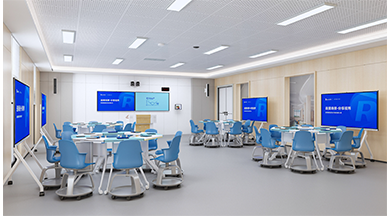
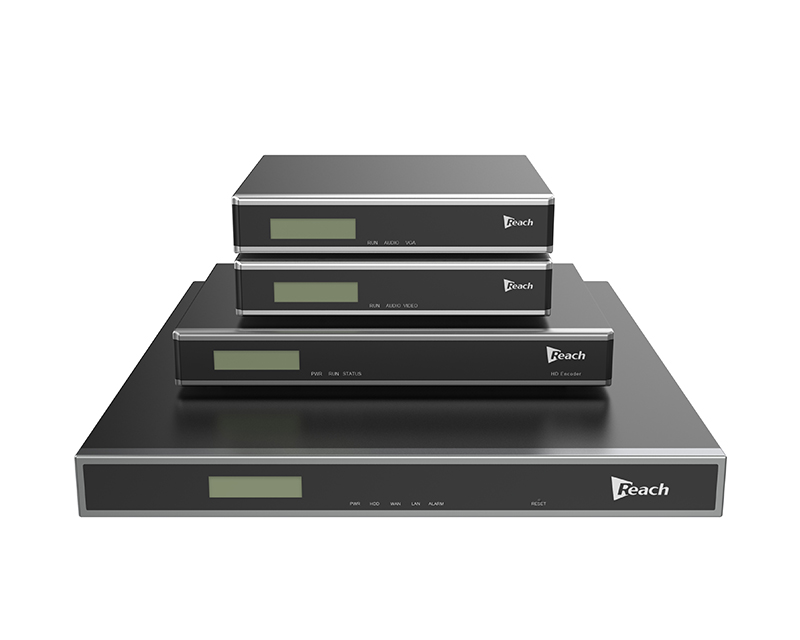
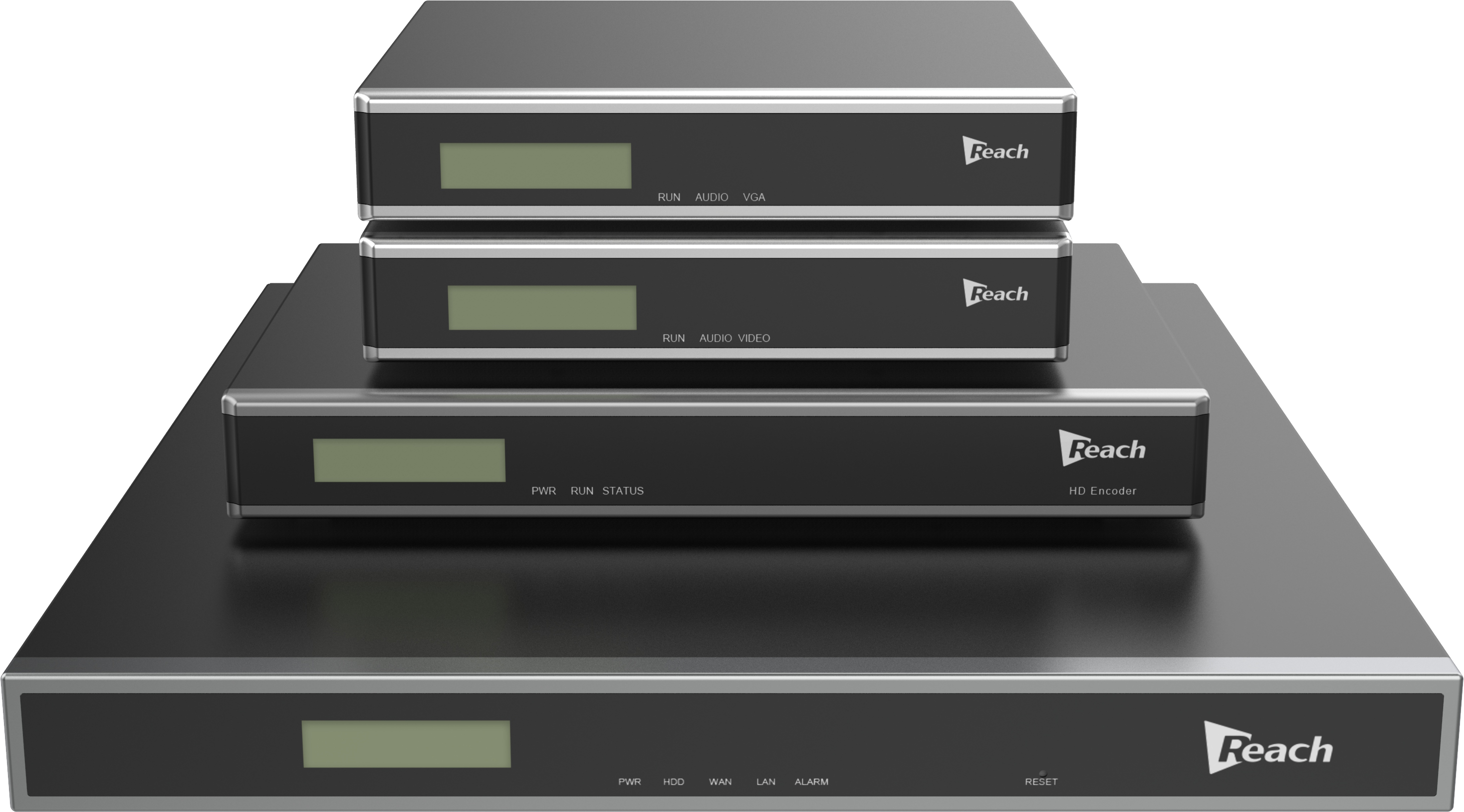
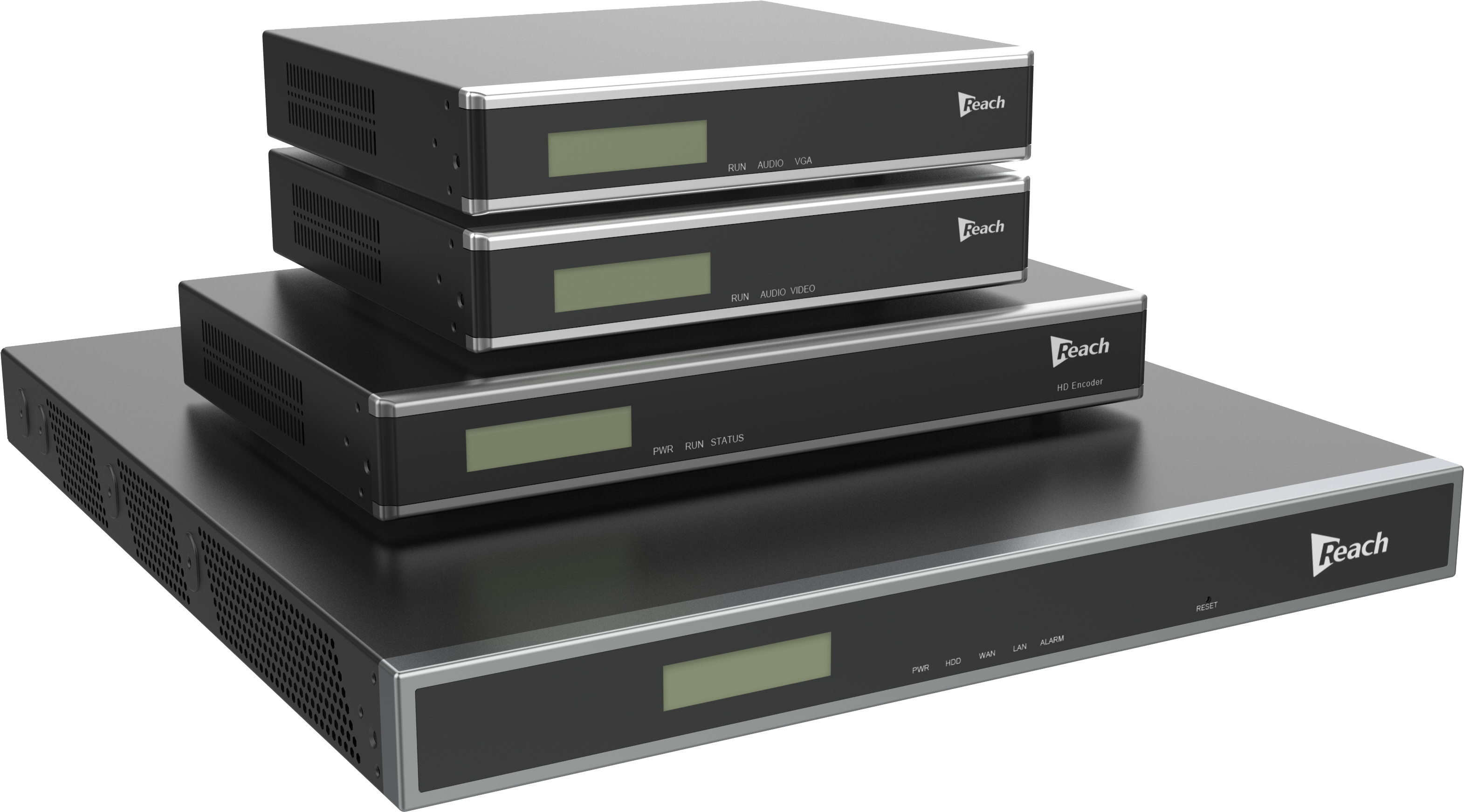
The REX recording system is based on an IP network distributed architecture, where signal capture devices and signal processing devices are separated. Signal capture devices encode raw data into data streams for transmission over the network using efficient H.264 algorithms. Signal processing devices decode these data streams from the network, synchronously save and record them, and publish them for real-time broadcasting.

REX Recording Server -Professional Multimedia Solution
REX Recording System CF Series - Distributed Deployment Solution
The REX Recording System CF Series adopts a distributed deployment architecture, separating front-end signal capture/encoding from storage management. The system consists of REX recording servers (CF Series) and encoders, with a single server supporting synchronous recording of up to 48 visual signals.
Flexible Configuration & Cost Efficiency
· Front-end Encoders: Meeting rooms or training spaces can be equipped with encoders tailored to the number of signal sources (e.g., cameras, screens).
· Centralized Storage: All encoded data is stored and managed by the REX recording server, enabling synchronized multi-room recording and streamlined administration while reducing infrastructure costs.
· Live/On-Demand Streaming: Built-in high-capacity streaming supports real-time broadcasting (e.g., meetings, training sessions) and on-demand playback for remote participants.
Model Variants
The CF Series includes five models:
· CF8/CF16/CF24/CF36/CF48, supporting 8/16/24/36/48 encoder connections respectively.
Video Conference record and stream Integration
The REX seamlessly integrates with mainstream video conferencing systems via H.323/SIP protocols, offering:
· Multi-Session Recording: Simultaneously records 5 or 10 video conferences for archival.
· Expanded Accessibility: Live streaming allows remote participants to join when physical conference rooms reach capacity.
· Scalability: Ideal for hybrid meetings, remote training, and large-scale events.
Key Features of REX Recording Servers
1. Modular Architecture: Adaptable to diverse environments and scalable for varying needs.
2. Multi-Signal Support: Captures SD/HD video and high-resolution/frame-rate VGA signals.
3. IP-Based Synchronization: Combines video, audio, and dynamic screen content for unified recording/live streaming.
4. Cross-Platform Access: Browser-based (B/S) management compatible with multiple OSes and browsers.
5. Conference Compatibility: Records H.323/SIP-based MCUs/endpoints in multiple formats/bitrates.
6. Dual Playback Options: View live/recorded content via dedicated players or web browsers.
7. Dual-Bitrate Recording: Generates high/low-bitrate files simultaneously.
8. Standard MP4 Output: Recorded files are editable with third-party software.
Applications:
· Meetings/Training: Archive and share sessions globally.
· Marketing: Broadcast promotional events in real time.
· Education: Enable hybrid learning with on-demand playback.

Powerful Features for Seamless Recording and Streaming
1. Dual Interface Management
REX Recording Server features an innovative web-based frontend and backend management system:
· Frontend provides users with:
o Live and on-demand resources
o Player software installation packages
o Access to public resources without login
o Exclusive content for logged-in users
o Commenting functionality on video resources
· Backend offers comprehensive configuration tools:
o Meeting creation and management
o File categorization
o User/group administration
o System parameter configuration
o Alarm and log maintenance
2. Synchronized Recording Capabilities
REX delivers exceptional synchronous recording:
· Records video, audio, and computer screen signals simultaneously
· Supports up to 8 image signals per meeting room
· Flexible resource allocation (e.g., 4 meetings with 2 images each or 2 meetings with 4 images each)
· 60fps high-quality recording
· Supports H.323 and SIP protocol video streams
· Enables batch operations (start/pause/stop recording, begin/end meetings)
· Dual-stream recording (high and low bitrate)
· Immediate and scheduled recording options
3. Real-Time Live Streaming
Experience superior live streaming performance:
· B/S architecture accessible via Flash player across all major browsers (IE, Firefox, Chrome, Safari)
· C/S architecture through proprietary ReachPlayer
· Integration with professional media centers
· Single/batch operation for live streaming
· Adaptive layout options for multi-screen content
· Capacity for 200 concurrent streams at 2Mbps
4. On-Demand Video Services
Robust on-demand capabilities:
· Browser-based access via HTML5 technology
· Proprietary ReachPlayer for enhanced viewing
· Media center integration
· Flexible layout options for multi-screen content
· Supports 200 concurrent streams at 2Mbps
· Mobile-friendly HTML5 playback
5. Comprehensive Control Options
Multiple management approaches:
· Web-based control interface
· Professional media center management
· Third-party control system compatibility
6. Intelligent File Management
Advanced storage solutions:
· Local hard drive or network storage options (FTP servers/media centers)
· Customizable file categorization
· Resource sharing through permission allocation
· Automatic space management with priority-based overwriting
· Self-repair for corrupted files
· Download options for SD/HD content
7. Flexible File Editing
· Standard MP4 format output
· Compatibility with third-party editing software
8. User Management System
Complete user administration:
· Operator Users: Full system control privileges
· Regular Users: Content access privileges
· Customizable group permissions for meetings and resources
9. Monitoring and Maintenance
Proactive system oversight:
· Real-time alarm notifications (email/web)
· Detailed activity logging
· Comprehensive troubleshooting support
10. Data Protection
Reliable backup solutions:
· Configuration backup/restore
· Daily automatic database backups
· Manual backup options
11. System Recovery
· Hardware reset button for critical failures
· Factory reset without data loss
12. Seamless Upgrades
Future-proof your investment:
· Web-based version updates
· Version rollback capability
· Continuous performance improvements
Why Choose REX Recording Server?
REX Recording Server represents the cutting edge in multimedia recording and streaming technology. Our solution combines enterprise-grade performance with intuitive operation, delivering:
✔ Unmatched Flexibility - Adapts to your specific recording and streaming needs
✔ Enterprise Scalability - Grows with your organization's requirements
✔ Reliable Performance - Professional-grade stability for critical operations
✔ Intuitive Management - User-friendly interfaces reduce learning curves
✔ Future-Ready Technology - Regular updates keep you at the forefront
Transform your multimedia capabilities with REX Recording Server - the professional choice for organizations that demand excellence in recording and streaming solutions.
[Contact Us Today] for a personalized demonstration or to discuss how REX can meet your specific requirements.
Network Architecture Diagram:
The REX recording server interacts with various types of encoders, H.323, and SIP video conferencing systems as shown in the following diagram:
1. Signal Acquisition Group:
Multiple types of encoders form the signal acquisition group. These devices can capture:
· Video signals from cameras
· VGA signals from PCs
· Audio signals from microphones
After encoding, all signals are transmitted to the REX recording server via IP network.
1. Video Conference Connection:
H.323/SIP video conference terminals or MCUs can connect to REX recording through:
· Registering with GK short codes
· Specifying server addresses
· Direct IP address calls
This enables REX recording to receive data streams from conference terminals or MCUs.
1. Service Functions:
The REX recording server provides two core functions:
· Live Streaming: When activated, users can watch real-time broadcasts
· Recording: Captures entire events for later on-demand viewing through the REX server
1. User Access:
Authorized users can:
· Access live streams during events
· Log in to the REX server to view recorded content post-event
Front Panel
No. | Component | Description |
1 | LCD Screen | Displays system information such as IP address and hard disk space. |
2 | Power Indicator (PWR) | Indicates the power status. |
3 | Hard Disk Indicator (HDD) | Indicates the hard disk status. |
4 | WAN Indicator | Indicates the status of the WAN interface. |
5 | LAN Indicator | Indicates the status of the LAN interface. |
6 | Alarm Indicator (ALARM) | Indicates whether there is an alarm on the device. |
7 | Reset Button (RESET) | Used to restore the system in case of a malfunction. |
Rear Panel
No. | Component | Description |
1 | Power Fan | Provides cooling for the power module. |
2 | Power Port | Connects to 220V AC power. |
3 | Power Switch | Turns the server on or off. |
4 | Motherboard Fan | Provides cooling for the motherboard. |
5 | Debug Port (COM) | Used for device debugging. |
6 | LAN Port | Connects to a local area network. |
7 | WAN Port | Connects to a wide area network. |
Hardware Spec
<
REX Recording Server - Professional Multimedia Solution
REX Recording System CF Series - Distributed Deployment Solution
The REX Recording System CF Series adopts a distributed deployment architecture, separating front-end signal capture/encoding from storage management. The system consists of REX recording servers (CF Series) and encoders, with a single server supporting synchronous recording of up to 48 visual signals.
Flexible Configuration & Cost Efficiency
· Front-end Encoders: Meeting rooms or training spaces can be equipped with encoders tailored to the number of signal sources (e.g., cameras, screens).
· Centralized Storage: All encoded data is stored and managed by the REX recording server, enabling synchronized multi-room recording and streamlined administration while reducing infrastructure costs.
· Live/On-Demand Streaming: Built-in high-capacity streaming supports real-time broadcasting (e.g., meetings, training sessions) and on-demand playback for remote participants.
Model Variants
The CF Series includes five models:
· CF8/CF16/CF24/CF36/CF48, supporting 8/16/24/36/48 encoder connections respectively.
Video Conference record and stream Integration
The REX seamlessly integrates with mainstream video conferencing systems via H.323/SIP protocols, offering:
· Multi-Session Recording: Simultaneously records 5 or 10 video conferences for archival.
· Expanded Accessibility: Live streaming allows remote participants to join when physical conference rooms reach capacity.
· Scalability: Ideal for hybrid meetings, remote training, and large-scale events.
Key Features of REX Recording Servers
1. Modular Architecture: Adaptable to diverse environments and scalable for varying needs.
2. Multi-Signal Support: Captures SD/HD video and high-resolution/frame-rate VGA signals.
3. IP-Based Synchronization: Combines video, audio, and dynamic screen content for unified recording/live streaming.
4. Cross-Platform Access: Browser-based (B/S) management compatible with multiple OSes and browsers.
5. Conference Compatibility: Records H.323/SIP-based MCUs/endpoints in multiple formats/bitrates.
6. Dual Playback Options: View live/recorded content via dedicated players or web browsers.
7. Dual-Bitrate Recording: Generates high/low-bitrate files simultaneously.
8. Standard MP4 Output: Recorded files are editable with third-party software.
Applications:
· Meetings/Training: Archive and share sessions globally.
· Marketing: Broadcast promotional events in real time.
· Education: Enable hybrid learning with on-demand playback.
Powerful Features for Seamless Recording and Streaming
1. Dual Interface Management
REX Recording Server features an innovative web-based frontend and backend management system:
· Frontend provides users with:
o Live and on-demand resources
o Player software installation packages
o Access to public resources without login
o Exclusive content for logged-in users
o Commenting functionality on video resources
· Backend offers comprehensive configuration tools:
o Meeting creation and management
o File categorization
o User/group administration
o System parameter configuration
o Alarm and log maintenance
2. Synchronized Recording Capabilities
REX delivers exceptional synchronous recording:
· Records video, audio, and computer screen signals simultaneously
· Supports up to 8 image signals per meeting room
· Flexible resource allocation (e.g., 4 meetings with 2 images each or 2 meetings with 4 images each)
· 60fps high-quality recording
· Supports H.323 and SIP protocol video streams
· Enables batch operations (start/pause/stop recording, begin/end meetings)
· Dual-stream recording (high and low bitrate)
· Immediate and scheduled recording options
3. Real-Time Live Streaming
Experience superior live streaming performance:
· B/S architecture accessible via Flash player across all major browsers (IE, Firefox, Chrome, Safari)
· C/S architecture through proprietary ReachPlayer
· Integration with professional media centers
· Single/batch operation for live streaming
· Adaptive layout options for multi-screen content
· Capacity for 200 concurrent streams at 2Mbps
4. On-Demand Video Services
Robust on-demand capabilities:
· Browser-based access via HTML5 technology
· Proprietary ReachPlayer for enhanced viewing
· Media center integration
· Flexible layout options for multi-screen content
· Supports 200 concurrent streams at 2Mbps
· Mobile-friendly HTML5 playback
5. Comprehensive Control Options
Multiple management approaches:
· Web-based control interface
· Professional media center management
· Third-party control system compatibility
6. Intelligent File Management
Advanced storage solutions:
· Local hard drive or network storage options (FTP servers/media centers)
· Customizable file categorization
· Resource sharing through permission allocation
· Automatic space management with priority-based overwriting
· Self-repair for corrupted files
· Download options for SD/HD content
7. Flexible File Editing
· Standard MP4 format output
· Compatibility with third-party editing software
8. User Management System
Complete user administration:
· Operator Users: Full system control privileges
· Regular Users: Content access privileges
· Customizable group permissions for meetings and resources
9. Monitoring and Maintenance
Proactive system oversight:
· Real-time alarm notifications (email/web)
· Detailed activity logging
· Comprehensive troubleshooting support
10. Data Protection
Reliable backup solutions:
· Configuration backup/restore
· Daily automatic database backups
· Manual backup options
11. System Recovery
· Hardware reset button for critical failures
· Factory reset without data loss
12. Seamless Upgrades
Future-proof your investment:
· Web-based version updates
· Version rollback capability
· Continuous performance improvements
Why Choose REX Recording Server?
REX Recording Server represents the cutting edge in multimedia recording and streaming technology. Our solution combines enterprise-grade performance with intuitive operation, delivering:
✔ Unmatched Flexibility - Adapts to your specific recording and streaming needs
✔ Enterprise Scalability - Grows with your organization's requirements
✔ Reliable Performance - Professional-grade stability for critical operations
✔ Intuitive Management - User-friendly interfaces reduce learning curves
✔ Future-Ready Technology - Regular updates keep you at the forefront
Transform your multimedia capabilities with REX Recording Server - the professional choice for organizations that demand excellence in recording and streaming solutions.
[Contact Us Today] for a personalized demonstration or to discuss how REX can meet your specific requirements.
Network Architecture Diagram:
The REX recording server interacts with various types of encoders, H.323, and SIP video conferencing systems as shown in the following diagram:
1. Signal Acquisition Group:
Multiple types of encoders form the signal acquisition group. These devices can capture:
· Video signals from cameras
· VGA signals from PCs
· Audio signals from microphones
After encoding, all signals are transmitted to the REX recording server via IP network.
1. Video Conference Connection:
H.323/SIP video conference terminals or MCUs can connect to REX recording through:
· Registering with GK short codes
· Specifying server addresses
· Direct IP address calls
This enables REX recording to receive data streams from conference terminals or MCUs.
1. Service Functions:
The REX recording server provides two core functions:
· Live Streaming: When activated, users can watch real-time broadcasts
· Recording: Captures entire events for later on-demand viewing through the REX server
1. User Access:
Authorized users can:
· Access live streams during events
· Log in to the REX server to view recorded content post-event
Front Panel
No. | Component | Description |
1 | LCD Screen | Displays system information such as IP address and hard disk space. |
2 | Power Indicator (PWR) | Indicates the power status. |
3 | Hard Disk Indicator (HDD) | Indicates the hard disk status. |
4 | WAN Indicator | Indicates the status of the WAN interface. |
5 | LAN Indicator | Indicates the status of the LAN interface. |
6 | Alarm Indicator (ALARM) | Indicates whether there is an alarm on the device. |
7 | Reset Button (RESET) | Used to restore the system in case of a malfunction. |
Rear Panel