
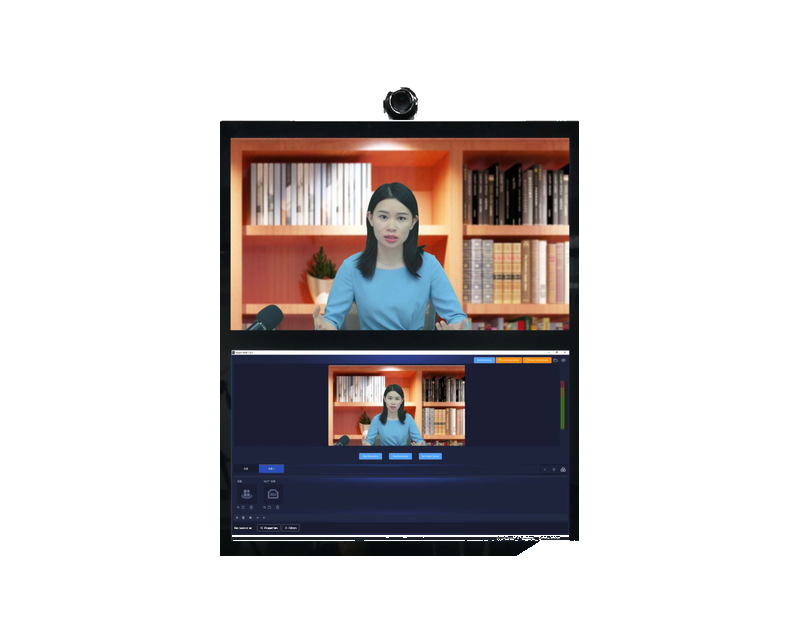
Reach Virtual Studio YN800 turns 8 m² into a studio: chroma key, scene switching and live streaming from one unit with two 32-inch screens.

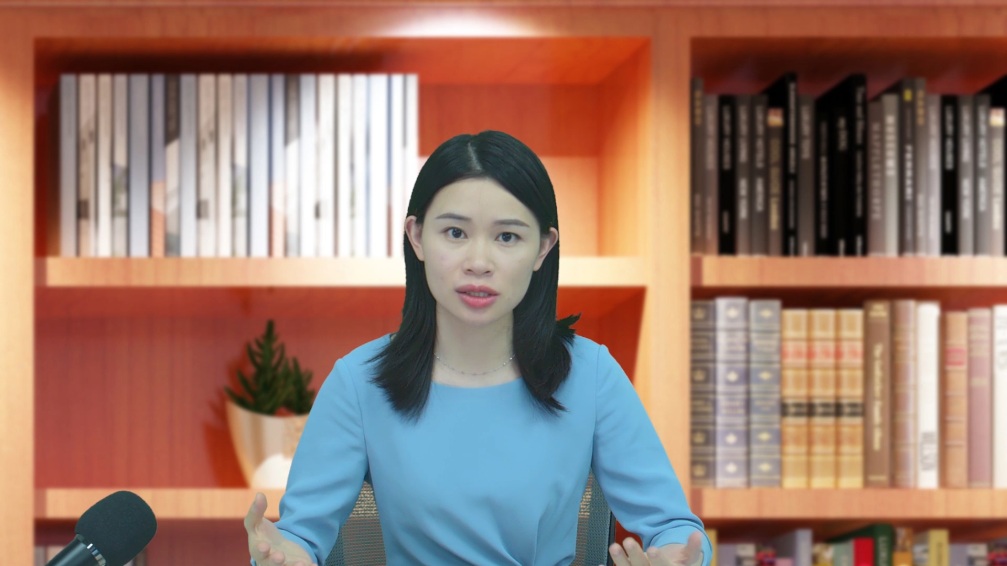
The Reach Virtual Studio YN800 turns a small room into a broadcast studio. The presenter stands in front of a green curtain; the HD camera feeds the YN800 matting processor, which removes the background, composites the presenter into a virtual scene and records or streams the finished picture.
Everything sits in one integrated unit: two 32-inch 1920 × 1080 screens, a built-in Windows 11 computer and the matting engine. The screens show the virtual composite and the script or courseware side by side, and they rotate to portrait or landscape to match the platform the session is published to.
One person runs the whole production. Scene switching, live streaming, recording and the virtual camera are each a single key; there is no vision mixer, no separate keyer and no second operator. A short setup guide walks through the live, recording and virtual-camera settings the first time the system is switched on.
The finished picture leaves in three ways: as a virtual USB camera for Zoom, Teams, Google Meet or any other conferencing application; as an RTMP or RTMPS stream to YouTube, Facebook, TikTok or Google Classroom, several platforms at once; and as an MP4 recording kept locally for the course library.
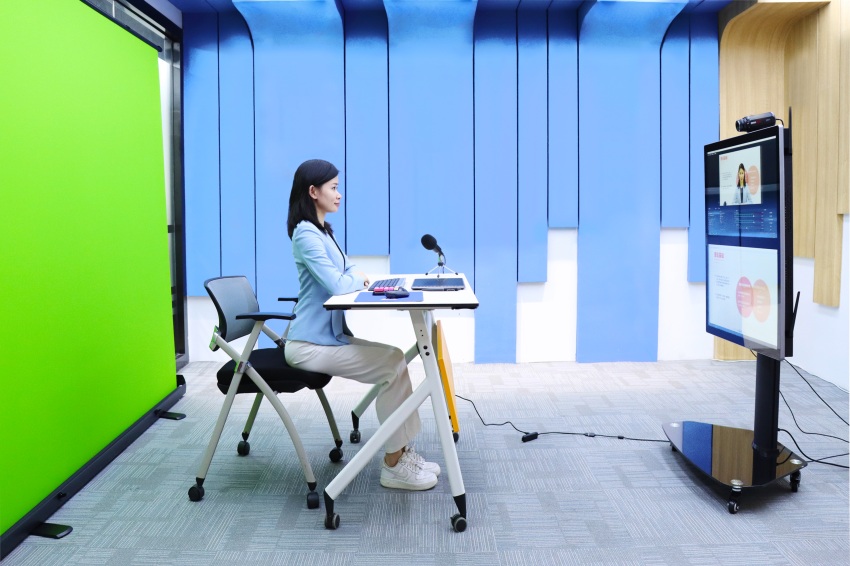
The system is delivered complete — processor, camera and wireless microphone — so a room only needs 8 m², a green curtain and a network connection. No professional lighting is required.
Reach Virtual Studio Processor YN800
Dual 32-inch 1920 × 1080 screens, Intel i5 processor, 16 GB RAM, 500 GB SSD, Windows 11 host built in.
HD Camera HD-800L
8.5-megapixel 1/2.5-inch CMOS, 4K output, 12× optical zoom, HDMI and USB 3.0 output, PoE or Type-C power.
Wireless Microphone BY-V10
2.4 GHz wireless, up to 50 m range, 9 hours on the built-in battery, charge-and-use over USB.
Optional accessories: processor stand with wheels, keyboard and mouse, digital writing tablet, and the green curtain. The processor carries mounting points for at least three cameras and can be extended with a sound card, teleprompter, monitor or additional wireless microphone.
A classroom corner, a training room or a corporate communications booth becomes a studio that can produce a lesson, an announcement or a training module without a crew.
A single presenter and 8 m² of floor space are enough to produce a finished programme.
The dual screens show the virtual composite and the courseware while the session records.
The camera and the microphone connect to the processor over USB; the processor drives the dual screens, takes the green curtain as its background reference, and sends the composited programme to the network or to a recording drive. A keyboard, mouse and writing tablet sit on the same USB hub.

System connection — camera and microphone on USB, green curtain on the background, programme to Facebook, YouTube and the local recording.
Specifications of the Reach Virtual Studio YN800, delivered with the HD-800L camera and the BY-V10 wireless microphone.
| Category | Parameter | Specification |
|---|---|---|
| Processor | Model | YN800 — professional virtual studio software and processor |
| Host | Custom moulded all-in-one unit with a built-in Windows 11 computer | |
| CPU / memory | Intel i5 processor, 16 GB RAM | |
| Storage | 500 GB SSD | |
| Graphics | Integrated high-performance graphics | |
| Screens | 2 × 32-inch 1920 × 1080, rotating to horizontal or vertical | |
| Camera mounts | At least 3 camera installation points | |
| Networking | WiFi and RJ45 | |
| Interfaces | USB | USB 3.0 × 4 or more, USB 2.0 × 2 or more |
| Video in | HDMI × 2 or more, Type-C × 1 | |
| Expansion | Sound card, teleprompter, monitor, wireless microphone | |
| Video production | Sources | Camera, desktop window, video file, slide show |
| Composition | Free layering and splicing, saved as scene templates; PVM/PGM switching | |
| Keying | Green, blue, red and custom colour keying; similarity, smoothness, transparency, contrast and brightness | |
| Filters | Brightness, LUT, sharpness, zoom, colour correction, image scrolling | |
| Transitions | Gradient, slide in/out, fade in/out, erase — duration settable | |
| Streaming & recording | Protocols | RTMP, RTMPS |
| Platforms | Several platforms at once, each with its own resolution and bitrate; one key start/stop; stream delay settable | |
| Virtual camera | USB virtual camera output for third-party conferencing applications | |
| Recording | MP4, with selectable encoding mode and video format | |
| Audio | Built-in mixer for microphone, media sound and network stream audio | |
| HD camera HD-800L | Sensor | 8.5 megapixels, 1/2.5-inch CMOS, output up to 3840 × 2160 |
| Lens | 12× optical zoom, f = 3.9–46.8 mm; 10× digital zoom; F1.6–F2.8 | |
| Field of view | 7.42°–78.58°; shutter 1/25–1/10,000 s; SNR ≥ 50 dB | |
| Focus | Manual and auto focus, optional TOF ranging module | |
| Image control | Brightness, chroma, saturation, contrast, sharpness, black-and-white; 2D and 3D noise reduction | |
| White balance | Manual, auto, one-push and specified colour temperature | |
| Video output | HDMI (1080p or above) and UVC over USB 3.0 — YUY2/NV12 up to 1920 × 1080, MJPG/H.264 up to 3840 × 2160 | |
| Network | LAN output H.264 up to 1920 × 1080; audio in with AAC encoding | |
| Protocols | HTTP, RTSP, RTMP, ONVIF, GB/T28181; network VISCA and RS-485 control | |
| Power | PoE or Type-C | |
| Wireless microphone BY-V10 | Radio | 2.4 GHz, one-to-one as standard, one-to-two optional |
| Range | Not less than 50 m | |
| Battery | Built-in, up to 9 hours; charge and use at the same time | |
| Audio | SNR ≥ 80 dB; sensitivity −42 dB; frequency response 20 Hz–16 kHz | |
| Ordering | Included | YN800 processor × 1, HD-800L camera × 1, BY-V10 wireless microphone × 1 |
| Optional | Processor stand, keyboard and mouse, digital writing tablet, green curtain |
 Tel:+86 13265602904