

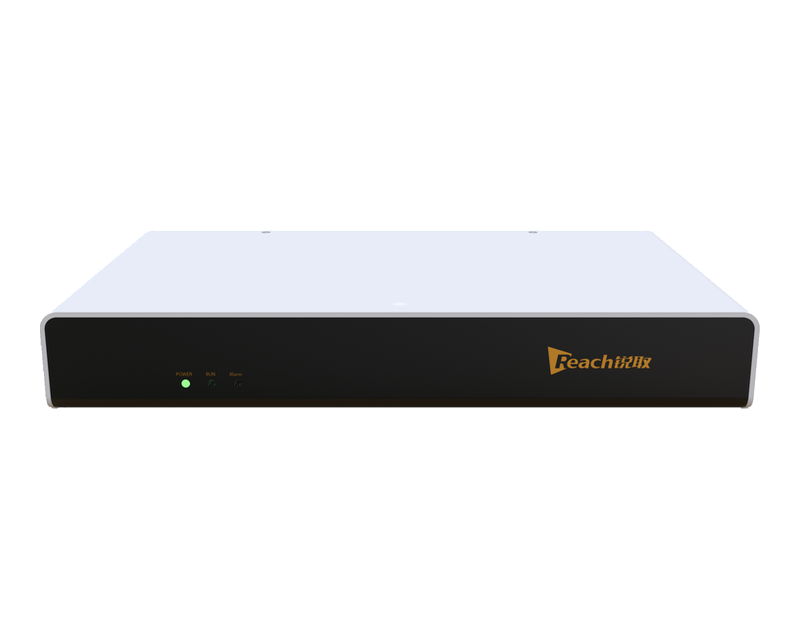
Reach Studio AI Lite TKR5000S is a 1U-class lecture capture server that encodes up to six IP and HDMI pictures with automatic directing.

Reach Studio AI Lite TKR5000S is a lightweight lecture capture server for classroom teaching. It performs synchronous capture and encoding of up to six pictures — 4 IPC network signals + 2 HDMI signals, or 5 IPC network signals + 1 HDMI signal — in one compact 1U-class host.
Working with the Reach Assist recording assistant, the TKR5000S performs intelligent automatic directing across six views: teacher close-up, podium panorama, student close-up, student panorama, blackboard and PPT. Switching between the views is automatic, so a lesson is recorded and reproduced faithfully, comprehensively and three-dimensionally — no camera operator required.
Reach Assist is a client-server (CS) application available for both Android and Windows. It provides remote control of the TKR5000S host — video input/output monitoring, switching, full-screen and composition, plus platform, central-control and network configuration.
Reach Studio AI Lite TKR5000S — lightweight lecture capture server
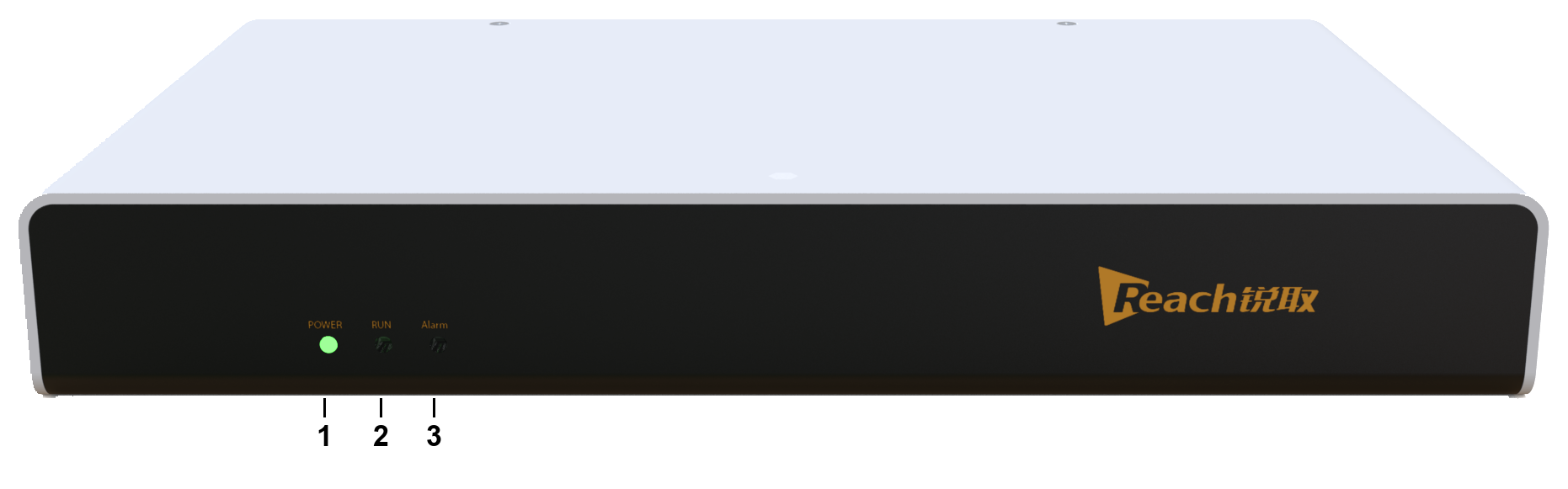
The TKR5000S combines the recorder host, the video capture and encoding engine, local storage and the camera and audio interfaces in a single unit. The status indicators and connection points are laid out as follows.
Three status indicators on the front panel show the operating state at a glance:
| # | Name | Purpose |
|---|---|---|
| 1 | Power | Power indicator |
| 2 | Run | System running indicator |
| 3 | Alarm | System alarm indicator (reserved) |
All main connectors are grouped on one side of the rear panel for fast on-site cabling — 18 interfaces covering power, audio, serial control, HDMI in/out, UVC, network and POE:
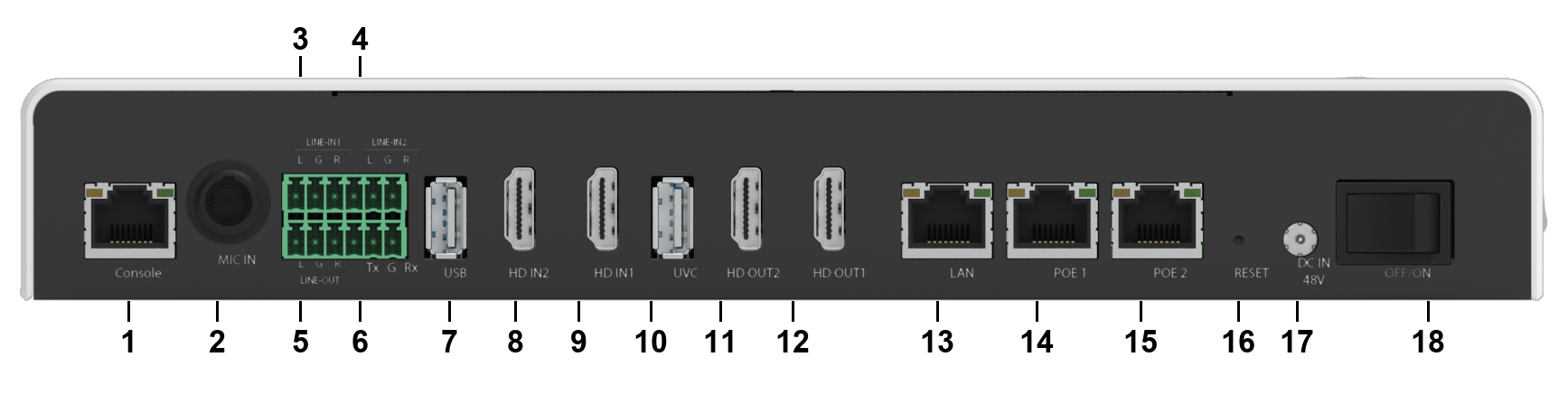
Rear panel — 18 numbered interfaces for audio, control, HDMI, network and POE cameras
| # | Interface | Function |
|---|---|---|
| 1 | Console | Connects to the CL-X4 control panel |
| 2 | MIC in (mini XLR) | Audio input for ACM19 / ACM14 omnidirectional microphones |
| 3 | LINE IN1 (phoenix) | LINE IN audio input (to an audio processor) |
| 4 | LINE IN2 (phoenix) | LINE IN audio input (to an audio processor) |
| 5 | LINE OUT | LINE OUT audio output (interactive audio) |
| 6 | RS232 | Connects to a third-party serial central-control system |
| 7 | USB | Connects a USB flash drive |
| 8 | HD IN 2 | HDMI input signal (computer picture) |
| 9 | HD IN 1 | HDMI input signal (blackboard picture) |
| 10 | UVC | UVC video output |
| 11 | HD OUT2 | HDMI output signal (computer picture) |
| 12 | HD OUT1 | HDMI output signal (movie mode) |
| 13 | LAN | Network service communication for the host |
| 14 | POE | Connects a POE network camera |
| 15 | POE | Connects a POE network camera |
| 16 | RESET | Reset button |
| 17 | DC IN 48V | 48 V power input |
| 18 | OFF / ON | Device power switch |
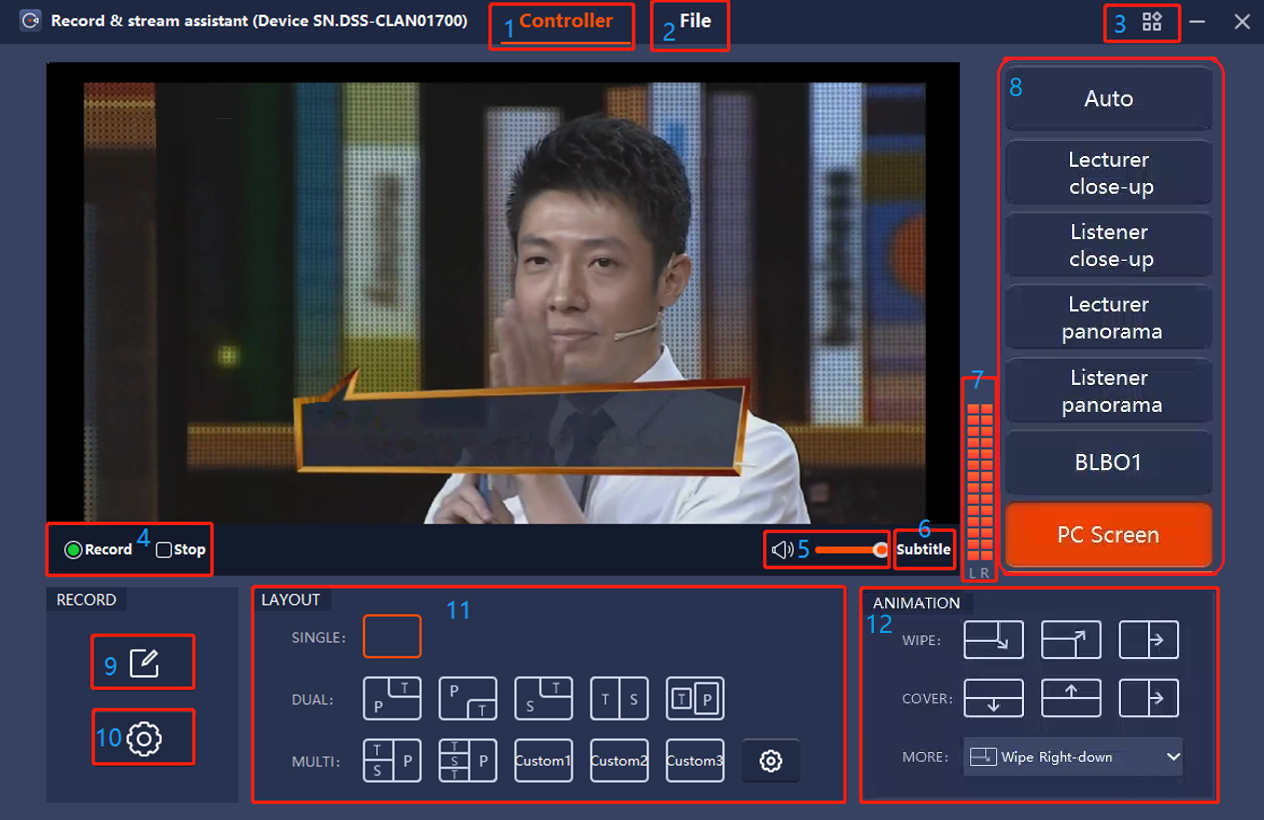
Reach Assist director interface — auto-directing, layout and animation controls
The TKR5000S recording system supports high-bitrate and low-bitrate recording, so a high-quality master file and a lightweight copy can be produced together for archiving, review and distribution.
Through the Reach Assist settings the user adjusts recording resolution, bitrate and frame rate to suit different network environments, choosing parameters that balance video quality against transmission bandwidth.
Paired with Reach Cam AI-series cameras and the Reach Flow Campus media-centre platform, the TKR5000S supports classroom facial attendance and analysis of student and teacher classroom behaviour.
Two optional control panels are available so the TKR5000S can be operated from a small desk panel or a larger visual console.
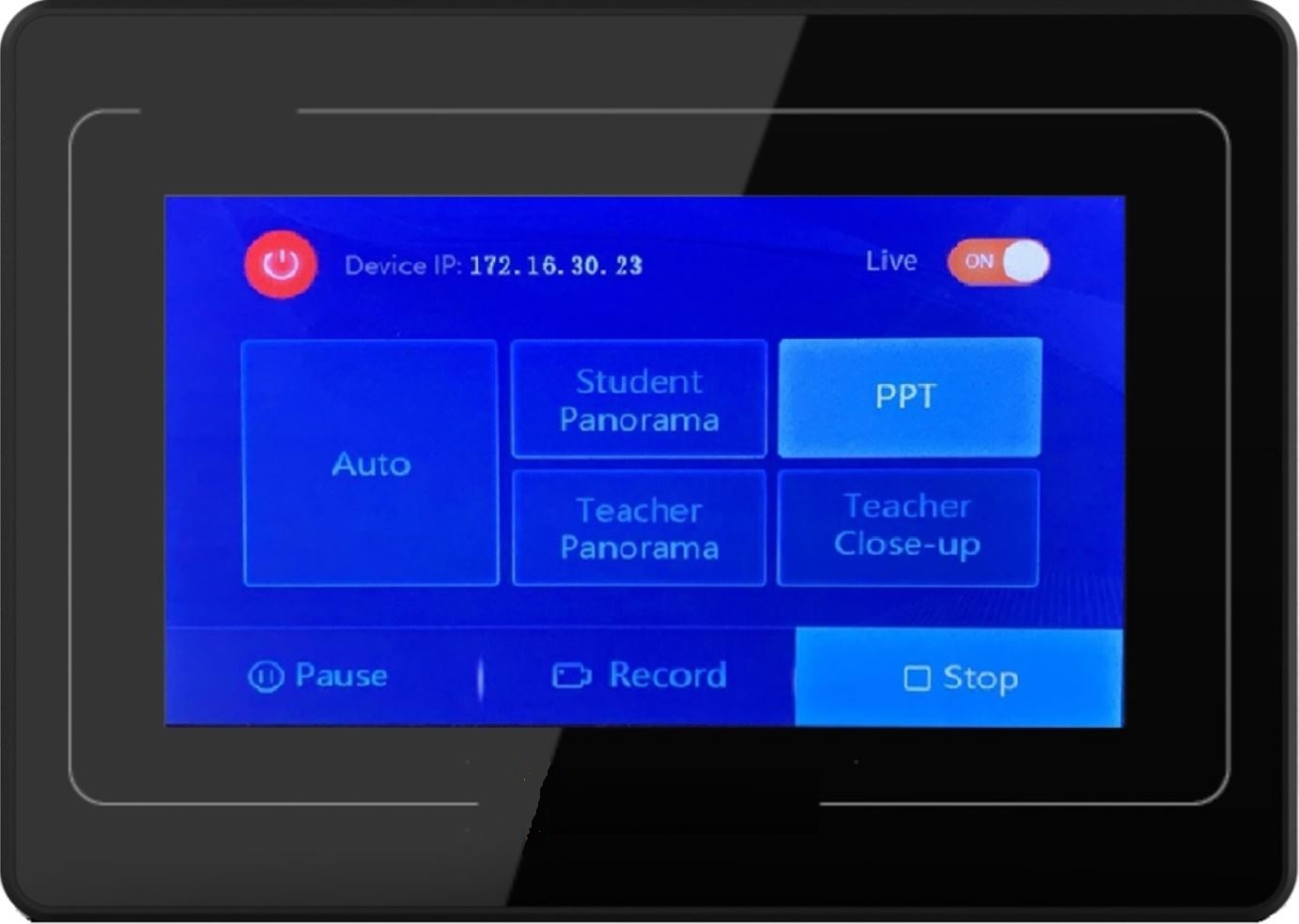
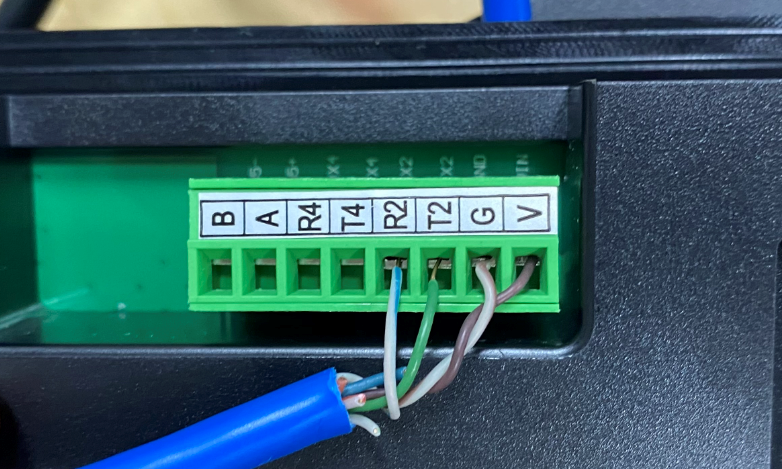
Optional 8-inch LCD visual central-control panel (CL-X8A). Its side interfaces are:
| # | Interface | # | Interface |
|---|---|---|---|
| 1 | Power on / off key | 6 | TF card slot |
| 2 | Volume adjustment keys | 7 | USB port |
| 3 | USB port | 8 | HDMI output |
| 4 | USB port | 9 | Network port |
| 5 | Audio output | 10 | Power input |
The Reach Assist control software runs on Windows and provides the operator console for video monitoring, switching and configuration.
Three audio configurations are recommended according to the pickup area and reinforcement need:
Three cameras cover the whole classroom; each connects to the TKR5000S over a single POE network cable:
The three cameras connect to the TKR5000S over POE network cables. The built-in camera-management software's automatic directing mechanism switches between the captured views in real time, delivering teacher tracking, student tracking and blackboard tracking scenarios.
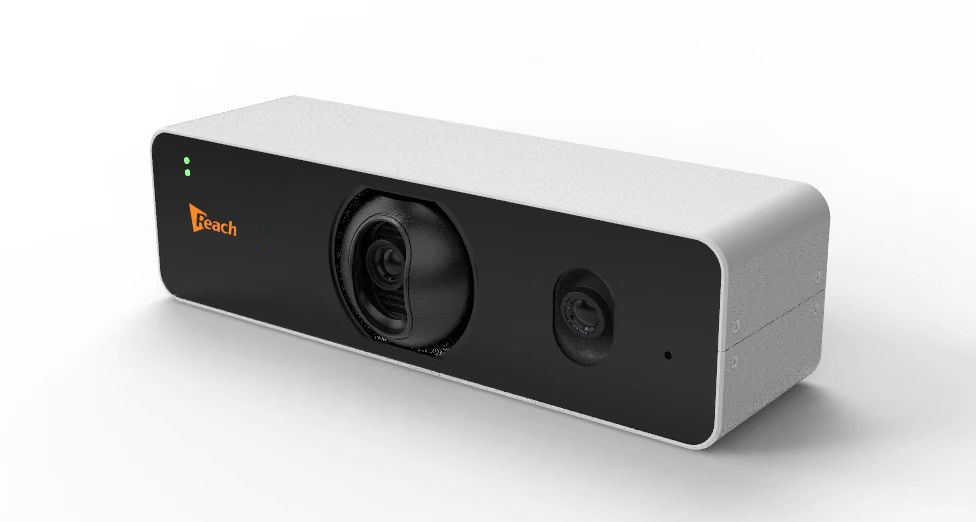
Reach Dual Cam HD595C dual-lens tracking camera — front three-quarter view
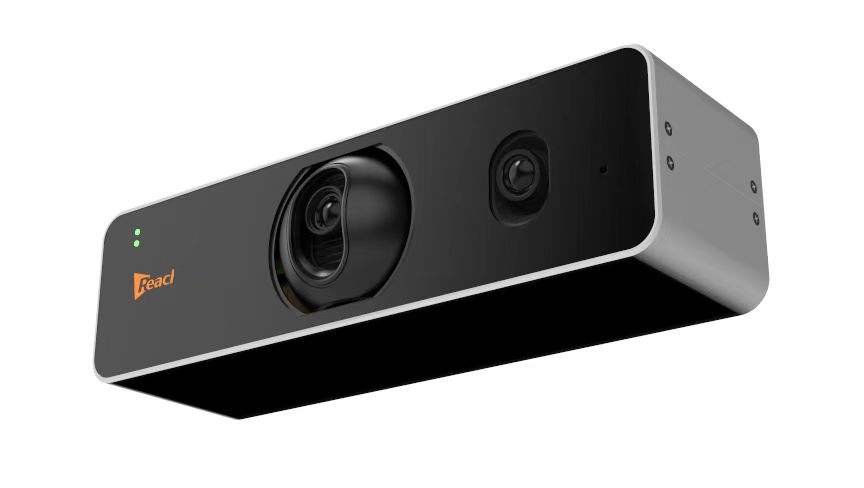
Reach Dual Cam HD595C dual-lens tracking camera — front view
The TKR5000S connects to the camera and audio systems in three typical configurations:
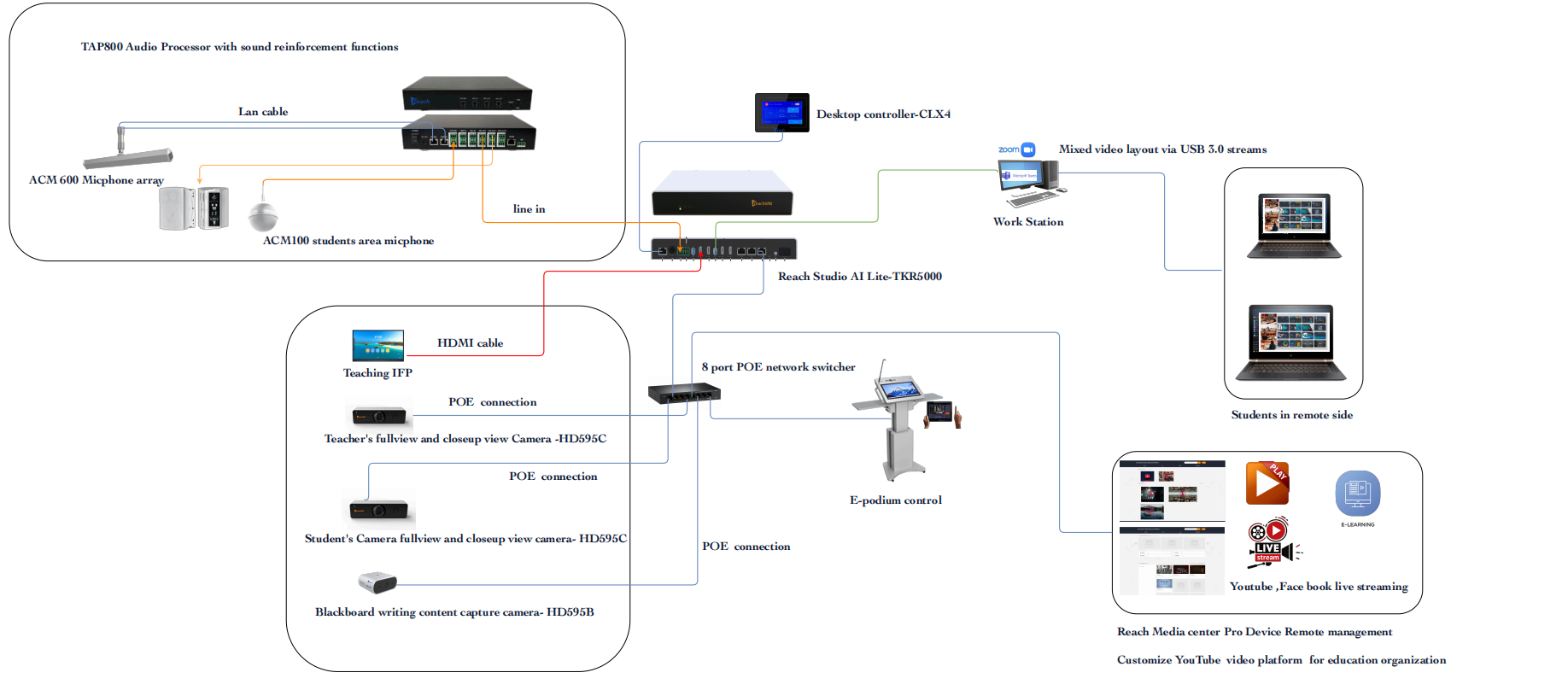
System topology — TKR5000S host with POE cameras and the recommended audio system
TKR5000S lightweight lecture capture server:
| Item | Parameter |
|---|---|
| Operating system | Linux |
| Video encoding | H.264 |
| Video bitrate / resolution | IPC network input: 1280×720, 1920×1080 supported. HDMI IN capture: 1280×720P@30/60, 1440×900P@30/60, 1920×1080P@30/60, 1920×1080I@50/60, 2560×1440P@30, 3840×2160P@30. HDMI OUT output: 1920×1080@50, 1920×1080@60. |
| Supported input resolution | 1280×720, 1280×960, 1280×1024, 1920×1080 |
| Supported output resolution | 1080P@50/60 |
| Audio encoding | AAC |
| Audio bitrate | 128 KB/s |
| Audio sampling rate | 48 kHz |
| Dimensions (L × W × H) | 275 × 164 × 40 mm |
| Hard disk | 1 TB |
| Operating temperature | −20 °C ~ 60 °C |
| Relative humidity | 5% ~ 95% |
| Storage & transport temperature | −40 °C ~ 80 °C |
| Operating voltage | 48 V |
| Operating current | 1.5 A |
| Power consumption | 72 W |
| Item | Parameter |
|---|---|
| Colour | 16.7 M colours |
| Display size | 154.20 mm (W) × 85.88 mm (H) |
| Viewing area | 155.1 mm (W) × 86.9 mm (H) |
| Resolution | 800 × 480, selectable 0° / 90° / 180° / 270° display mode |
| Backlight | LED |
| Brightness | 250 nit |
| Operating voltage | 7–36 V |
| Operating current | 80–230 mA |
| Operating temperature | −20 ~ 70 °C |
| Storage temperature | −30 ~ 85 °C |
| Operating humidity | 10% ~ 90% |
| Protection rating | IP65 |
| User interface | 8-pin 3.81 mm terminal block |
| SD card slot | Micro SDHC (TF) card / FAT32 |
| Serial mode | RS-485 / RS-232 |
| Dimensions | 210 mm (W) × 150 mm (H) × 26.9 mm (T) |
| Net weight | 500 g |
| Mounting cut-out | 197.2 mm × 137.2 mm |
| Mounting depth | greater than 19.7 mm |
A complete classroom capture system in one lightweight host
Capture and automatically direct six views with one compact recorder, connect POE cameras over a single cable, and manage recording, streaming and files from Reach Assist or the Reach Flow Campus platform. Contact us for a demo unit, volume pricing or a system-integration review.
Sales: richard@szreach.com | WhatsApp / WeChat available on request
 Tel:+86 13265602904