

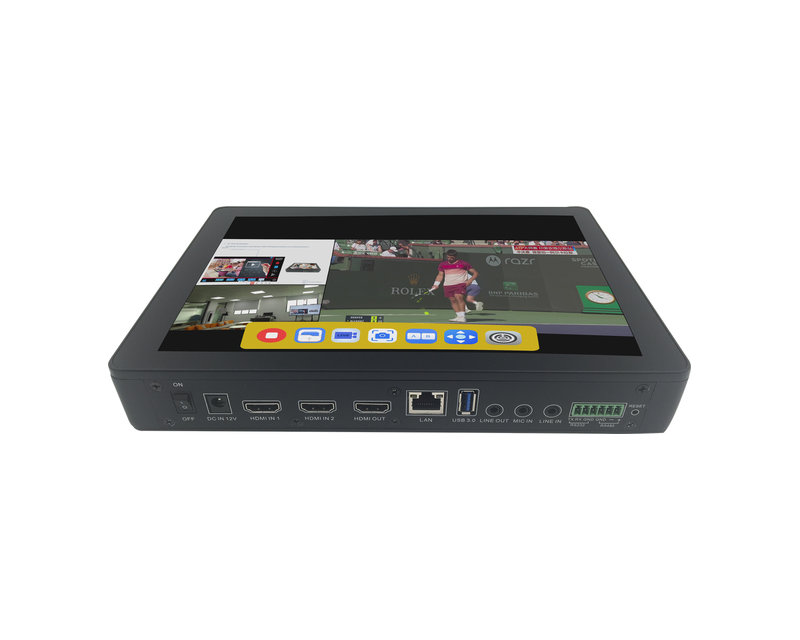
Record, switch and stream from two HDMI and two network cameras: Touch-Bee3 Plus publishes three 1080p programs from a 10.1-inch touch director.
The Reach Studio Core Touch-Bee3 Plus is an all-in-one video production appliance for lecture capture, meeting rooms and clinical teaching. It captures, switches, records and streams in a single unit measuring 256 × 175 × 37 mm, and it is driven either from its own 10.1-inch touch screen or from a browser anywhere on the network.
Four live sources go in: two HDMI inputs that carry embedded audio, and two network cameras over RTSP or NDI. The appliance encodes them as H.264 between 300 kbps and 16 Mb/s, and publishes up to three 1080p programs at once — four inputs choosing three — or two 4K@30 programs when both HDMI inputs carry 4K.
Layouts are composed on the touch screen while the recording keeps running: picture-in-picture, picture-out-of-picture, side-by-side and single full frame, with up to ten layout groups stored for recall. Cameras on the RS-485 or IP VISCA bus can be panned, zoomed, sent to a preset and have their auto-tracking switched on or off from the same interface.
Streams leave as RTMP, RTMPS, RTSP, UDP, TS or NDI, so YouTube, Facebook, Vimeo, a campus CDN or a Reach Edge Media Server can all take the session at once. Every session is written to the internal SSD as an MP4 in real time, copied to a USB 3.0 drive at the end of the class, or pushed automatically to an FTP, SFTP or SCP target.
No capture card and no PC are needed in the room. The unit draws 30 W from a DC 12 V supply and sits on a desk or on a wall bracket.
The front is the operating surface: a 10.1-inch touch screen that previews all four inputs, shows the program picture and the audio levels, and carries the record, stream, layout and settings keys.
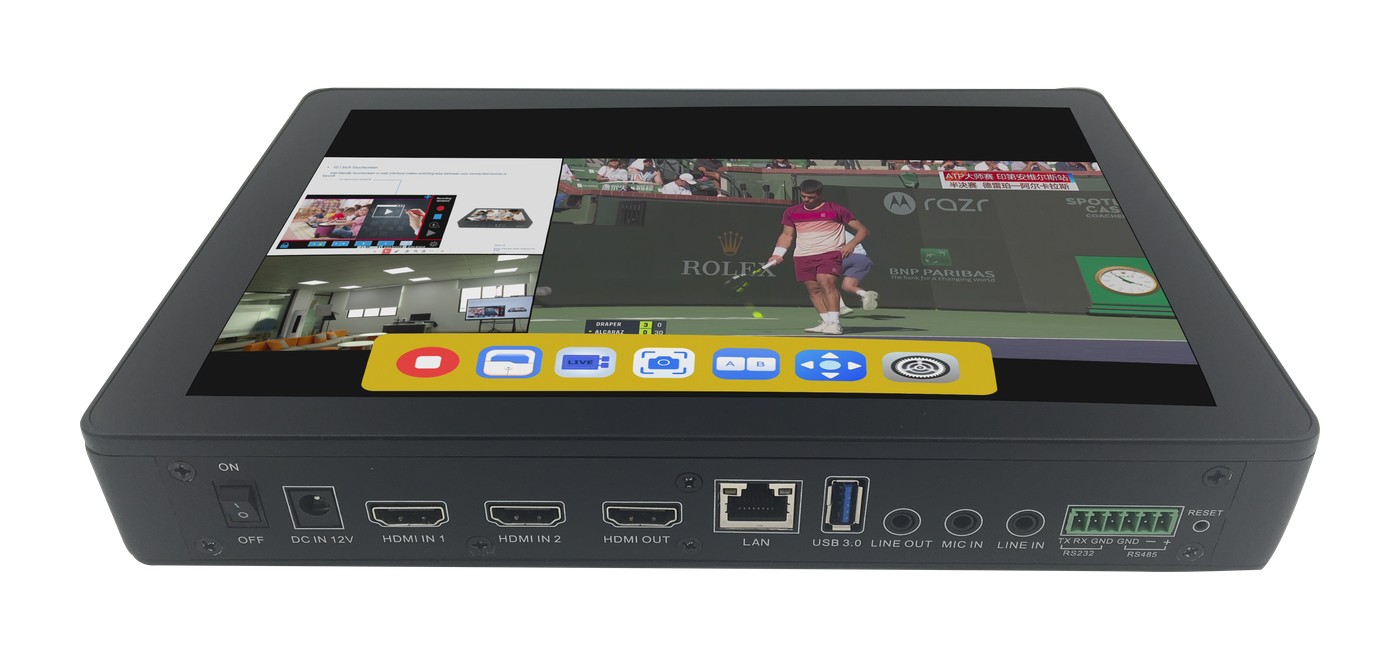
Bee3 Plus — 10.1-inch touch screen running the director interface, front view.
Every connector is on one edge, so the appliance can sit on a shelf with all cabling behind it.
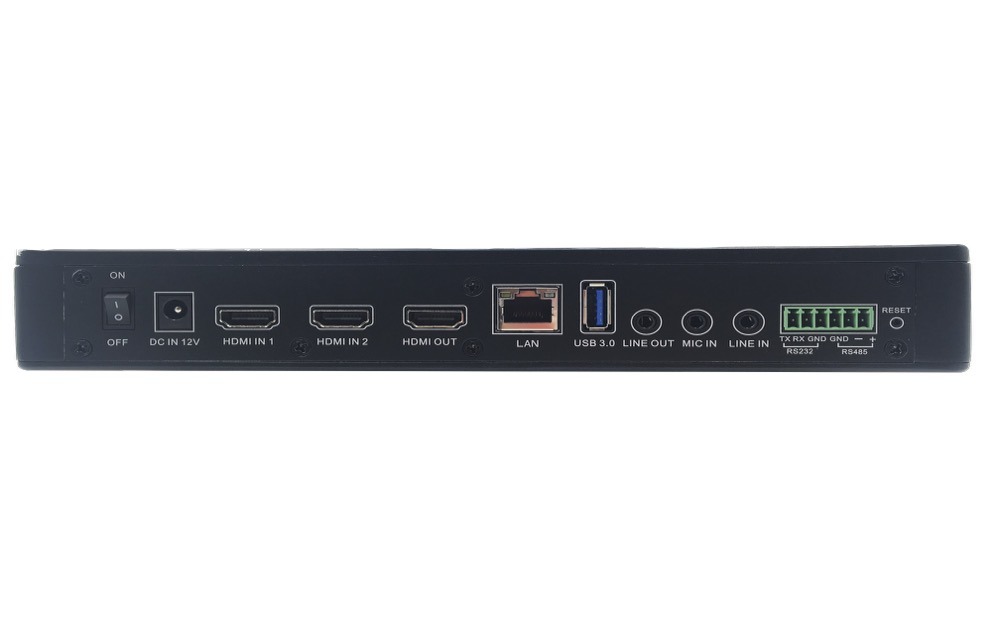
Rear panel — power switch, DC 12 V, HDMI IN 1–2, HDMI OUT, LAN, USB 3.0, LINE OUT, MIC IN, LINE IN, RS-232/RS-485 and reset.
Sources plug into one side of the appliance and destinations leave from the other. The local monitor on HDMI OUT shows the program while it records, and the same program leaves on the network as an RTMP, RTSP or NDI stream.
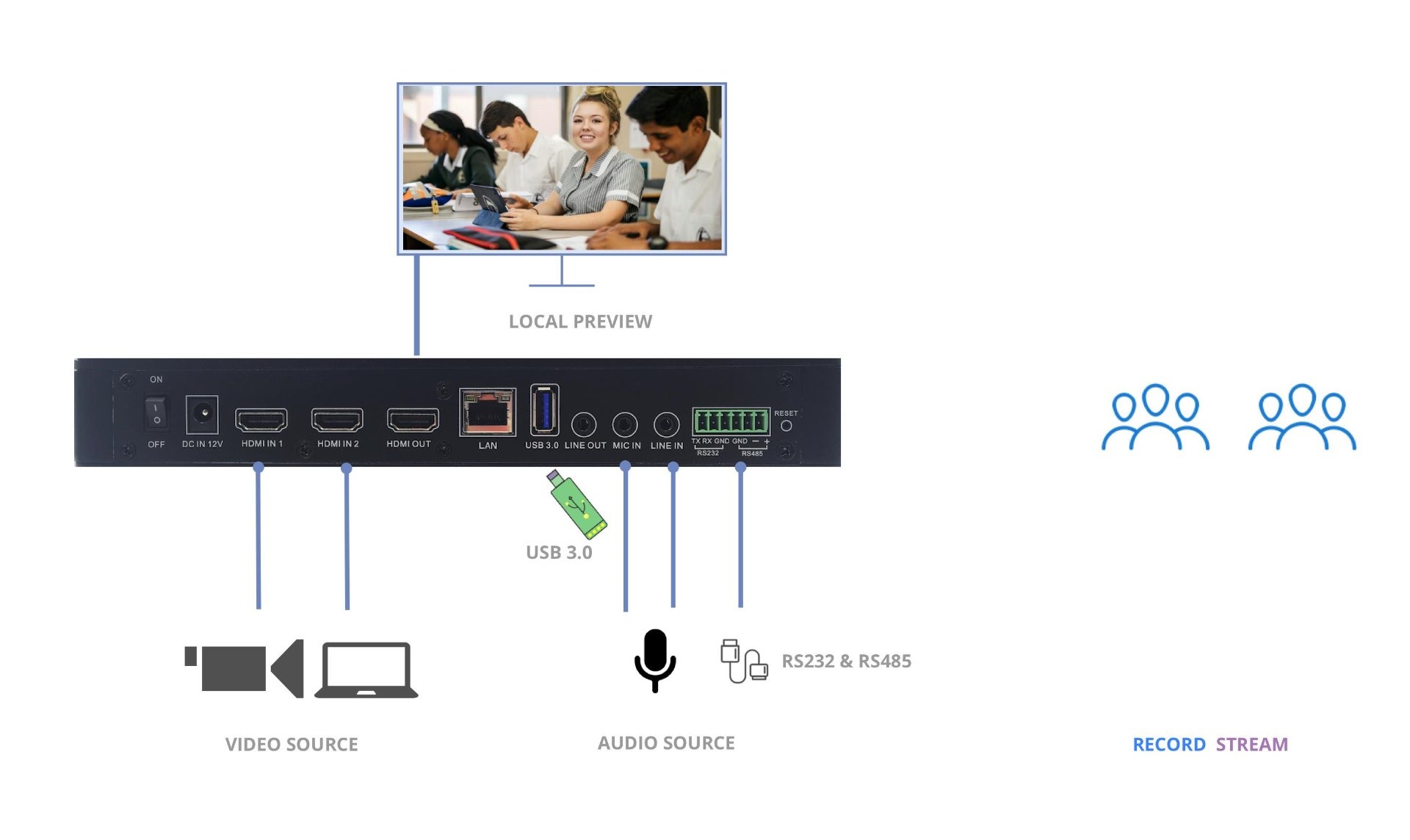
Signal path — HDMI and network cameras in, local preview on HDMI OUT, record and stream out.
Two HDMI and two network cameras
Cameras, laptops and document cameras on HDMI 1–2, plus two RTSP/NDI network cameras — any three of the four can be on air together.
Mic, line or HDMI embedded audio
A microphone on MIC IN, a mixer on LINE IN, or the audio already embedded in the HDMI signal; the mix is encoded as AAC at 48 kHz.
Preview, stream and record at once
HDMI OUT drives the room or confidence monitor, RTMP/RTMPS/RTSP/NDI carries the stream, and the MP4 lands on the internal SSD.
Classrooms and lecture halls
Record the lecturer, the slides and the room in one session, or stream the class to students who cannot be there.
Corporate and training rooms
One appliance replaces the switcher, the encoder and the recorder; the touch screen is the control panel on the table.
Medical skills and simulation labs
Bring the procedure camera and the room camera together, switch between them live and archive the session for review.
Specifications of the Reach Studio Core Touch-Bee3 Plus all-in-one video production appliance.
| Category | Parameter | Specification |
|---|---|---|
| Encoding | Video codec | H.264, 300 kbps – 16 Mb/s |
| Resolution | User selectable up to 1920 × 1080; 4K@30 on the HDMI inputs | |
| Encoded programs | 3 simultaneous 1080p programs from 4 inputs, or 2 simultaneous 4K@30 HDMI programs | |
| Recording format | MP4 | |
| Audio codec | AAC, 48 kHz sampling | |
| Video inputs | HDMI IN 1–2 | 2 × HDMI with embedded audio |
| Network cameras | 2 × RTSP / NDI network camera capture | |
| Video output | HDMI OUT | 1 × HDMI local program output with recording status |
| Network output | RTMP, RTMPS, RTSP, UDP, TS and NDI mixed program output | |
| Audio | Inputs | Analog line in (3.5 mm), MIC IN, and audio embedded in HDMI |
| Outputs | HDMI embedded audio, 3.5 mm LINE OUT | |
| Recording & storage | Internal storage | 128 GB SSD as standard; 500 GB / 1 TB / 2 TB optional |
| Recording modes | Real-time and time-lapse | |
| External copy | USB 3.0, automatic or manual | |
| Network storage | SFTP, FTP, SCP, Dropbox (optional) | |
| Control | Local | 10.1-inch touch screen |
| Remote | Web UI, RS-232 API, Telnet | |
| Third-party | Crestron, AMX, Extron; Reach MediaCenter Pro | |
| Camera control | RS-485 VISCA and IP VISCA — pan/tilt/zoom, presets, auto-tracking on/off | |
| Security | Access | One-button lock screen; user management with password login |
| Network | Interface | 1 × 1000 Mbps Ethernet (RJ45) |
| Power & physical | Power input | DC 12 V / 5 A |
| Power consumption | 30 W | |
| Dimensions | 256 × 175 × 37 mm (W × D × H) | |
| Installation | Desktop or wall mount |
 Tel:+86 13265602904