
IPOS: Intellectual Property Office-Government, Enterprise

Home > Case> Government, Enterprise Contact

IPOS: Intellectual Property Office

source: Reach Tech popularity:7320 Time of publication:2021/04/13 16:06:36 【 small middle big】
InstitutionIntellectual Property Office of Singapore
LocationSingapore
Scope5 training rooms
SolutionBee 8 Pro, KITE70 tracking, Media Center

Five training rooms that follow the trainer, record at the touch of one button, and publish into Moodle.
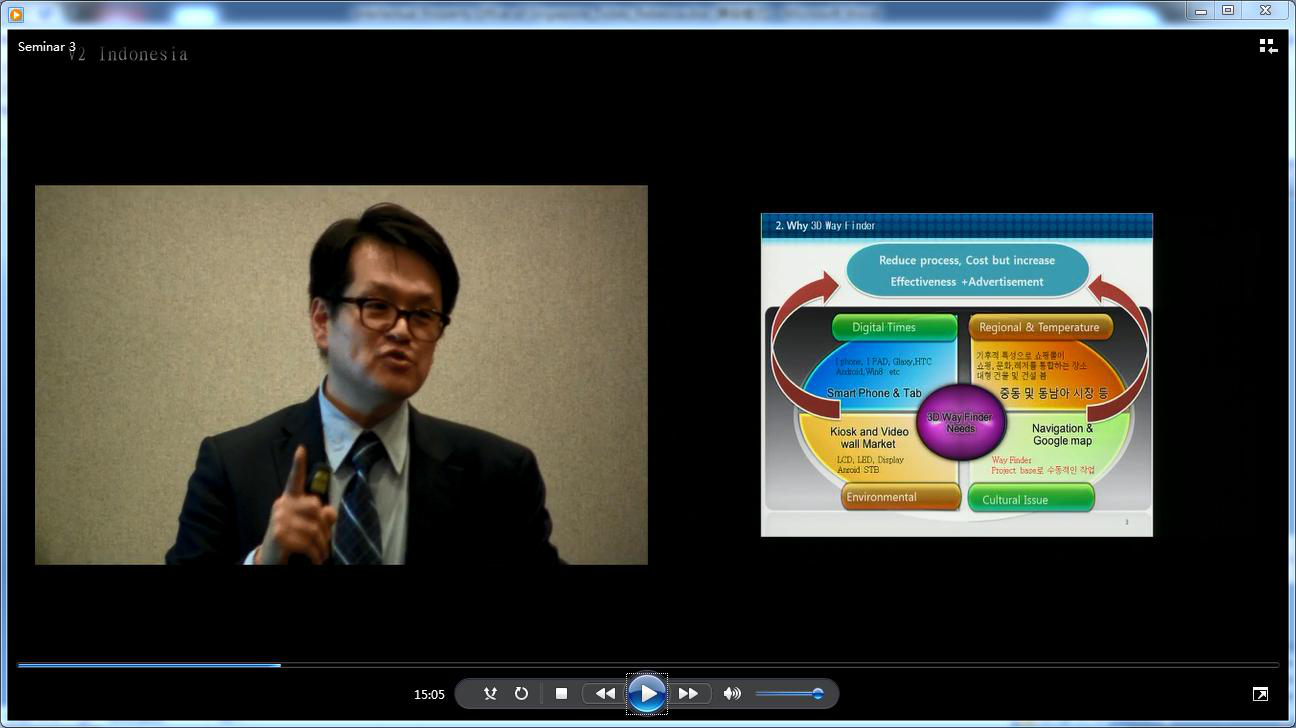
Training room at the Intellectual Property Office of Singapore
Courses are recorded in the room where they are taught and published into the Moodle course page.

The challenge

IPOS, the statutory board that administers Singapore's intellectual property regime, runs a training centre for the profession. Courses had to be covered live and recorded, but the people running them are trainers, not technicians: the system had to be operable by whoever is teaching, the recording had to be walk-away portable, and the camera had to stay on a lecturer who paces. The centre also wanted the video inside Moodle, so that learners would not have to move between two systems to find it.

What Reach deployed

Five training rooms, each with an HD700 camera on a KITE70 tracking head and a Bee 8 Pro recorder. KITE70 analyses the picture, locks onto the speaker and drives the camera, so the trainer can walk the room and stay in frame. Bee 8 Pro records with one button, streams over RTSP, and records to both internal storage and a USB device — the stick can be pulled out at the end of the session and taken away. Media Center publishes live and on-demand video and is integrated with Moodle, so the player appears inside the course page.
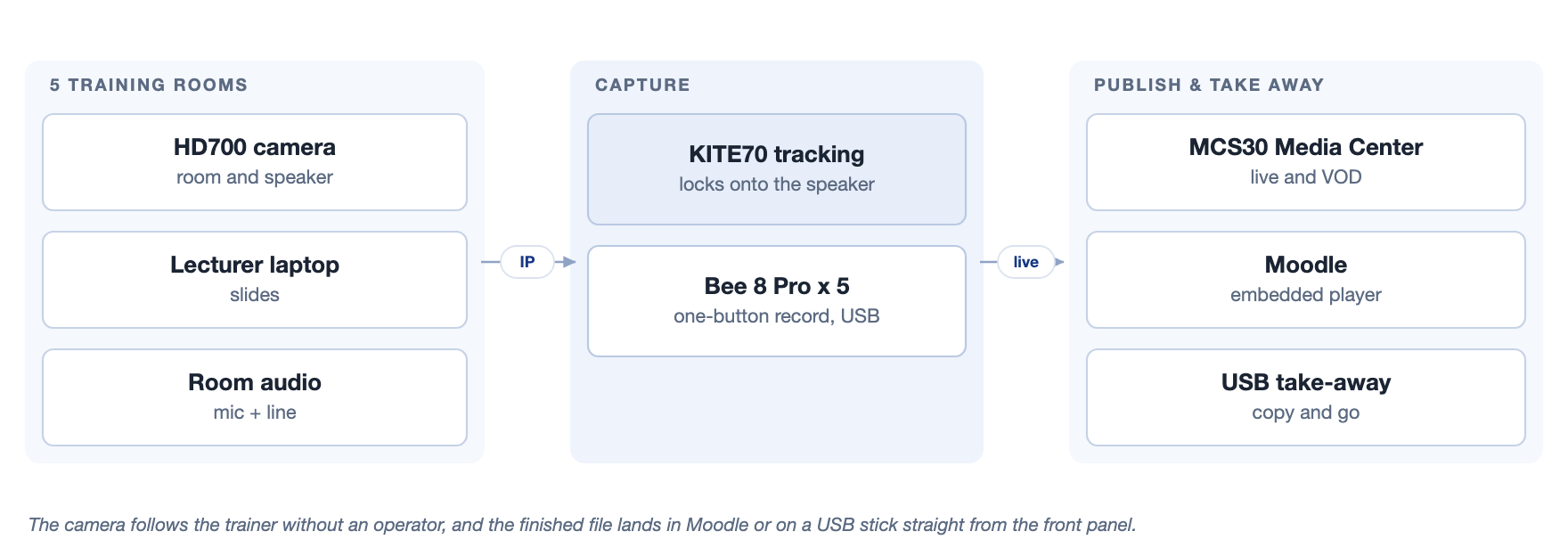
IPOS training-room capture architecture
Figure 1 — Tracking, recording and publishing: the trainer operates nothing but the record button.

How it works

  1. The trainer presses record. The camera is already following; nothing has to be framed by hand.
  2. The file is written twice — to internal storage and to USB, so a copy leaves the room immediately.
  3. Media Center ingests the recording and offers it live during the session and on demand afterwards.
  4. Moodle shows the video inside the course, on desktop and on mobile.

Outcome

  • Automatic tracking replaced a camera operator in every room.
  • Recordings are MP4, so they play in any player without conversion.
  • Tutors trim and publish from Media Center without editing software.
  • Learners reach the video from Moodle, where the rest of the course already lives.

Equipment at a glance

ProductModelQuantity
Bee 8BEE8PRO5
Auto trackingKITE705
HD cameraHD7005
Media CenterMCS301
