

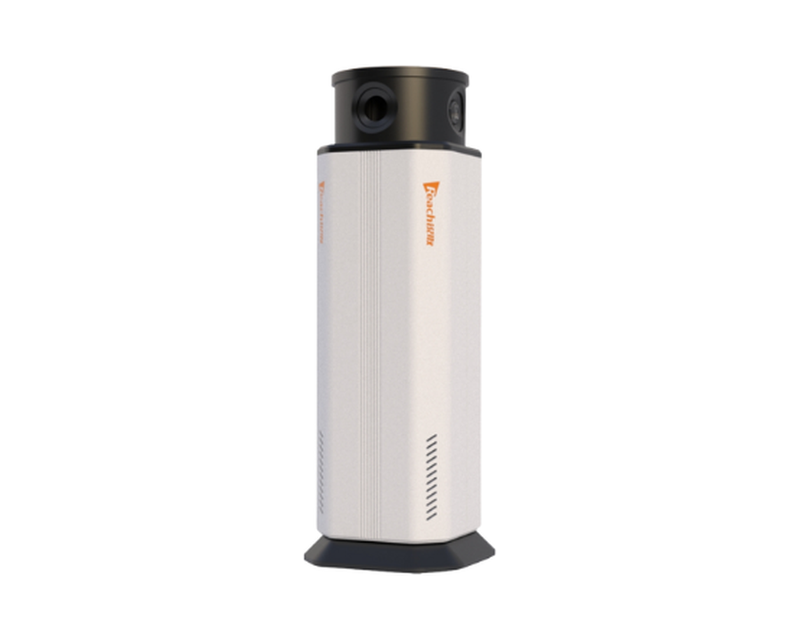
Reach Cam 360 AI-Core360 Pro is a 360-degree panoramic 4K USB conference camera with four stitched 8 MP lenses for meeting rooms.

Reach Cam 360 AI-Core360 Pro is a 360° panoramic Ultra HD all-in-one USB conference camera designed for small and medium-sized meeting rooms. Four built-in ultra-wide-angle 8.29-megapixel cameras are stitched seamlessly into a single 360° view, so remote attendees see every participant and the whole room layout from one desktop unit — no multiple external cameras, no blind corners and no visible screen jitter when the view switches.
The device integrates an ultra-high-definition 4K camera, a beamforming microphone array and a full-range speaker into one unit. AI auto-framing, speaker tracking and smart gallery view keep the picture centred on whoever is speaking, while the lens masking function removes doors, corridors and irrelevant furniture from the live image. A retractable electric privacy shield closes over the lens after the meeting. Video is carried over USB 3.0 Type-C, HDMI or the RJ45 network port (PoE), and the unit is plug-and-play with UVC / UAC — ready to use with mainstream conferencing applications right out of the box.


Four conference-tailored 8.29-megapixel ultra-wide-angle cameras work together with stitching technology to form a complete 360° panoramic view of the room. The device outputs up to 4K (3840 × 2160) @ 30fps and is backward compatible with 1080P@30fps and 720P@30fps, so a single unit delivers crisp detail for both local display and live streaming. One camera replaces several external units and handles panoramic, close-up and multi-angle views at the same time, reducing deployment cost and avoiding screen lag when switching between views.
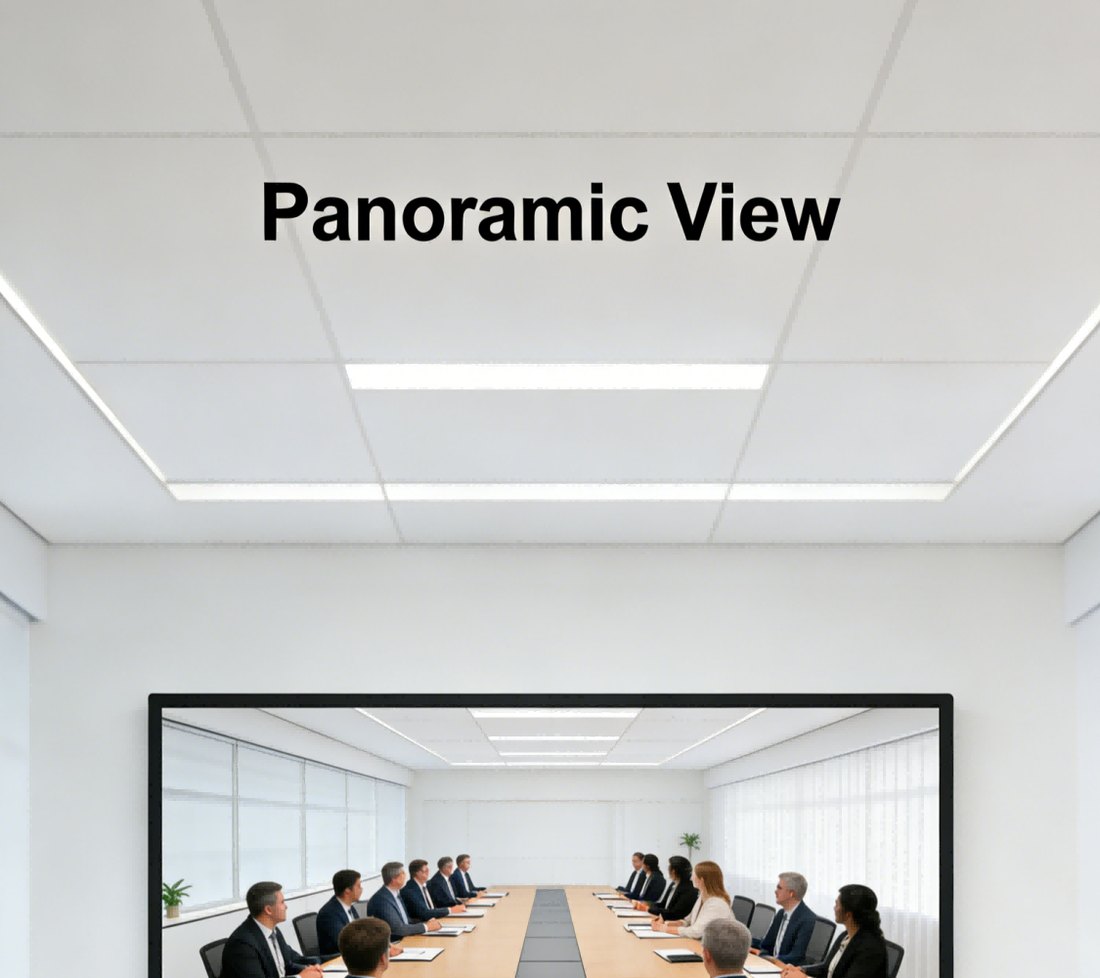
Panoramic View — full room in 360°
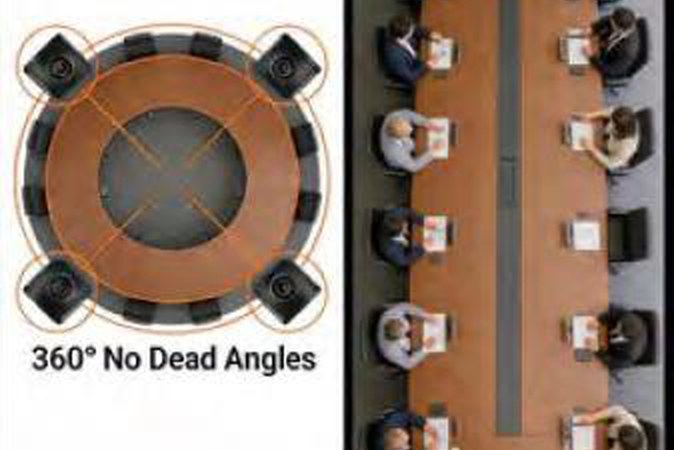
360° view — no dead angles
Six image modes let one camera serve very different conference needs, from multi-person remote meetings to single-speaker training sessions:
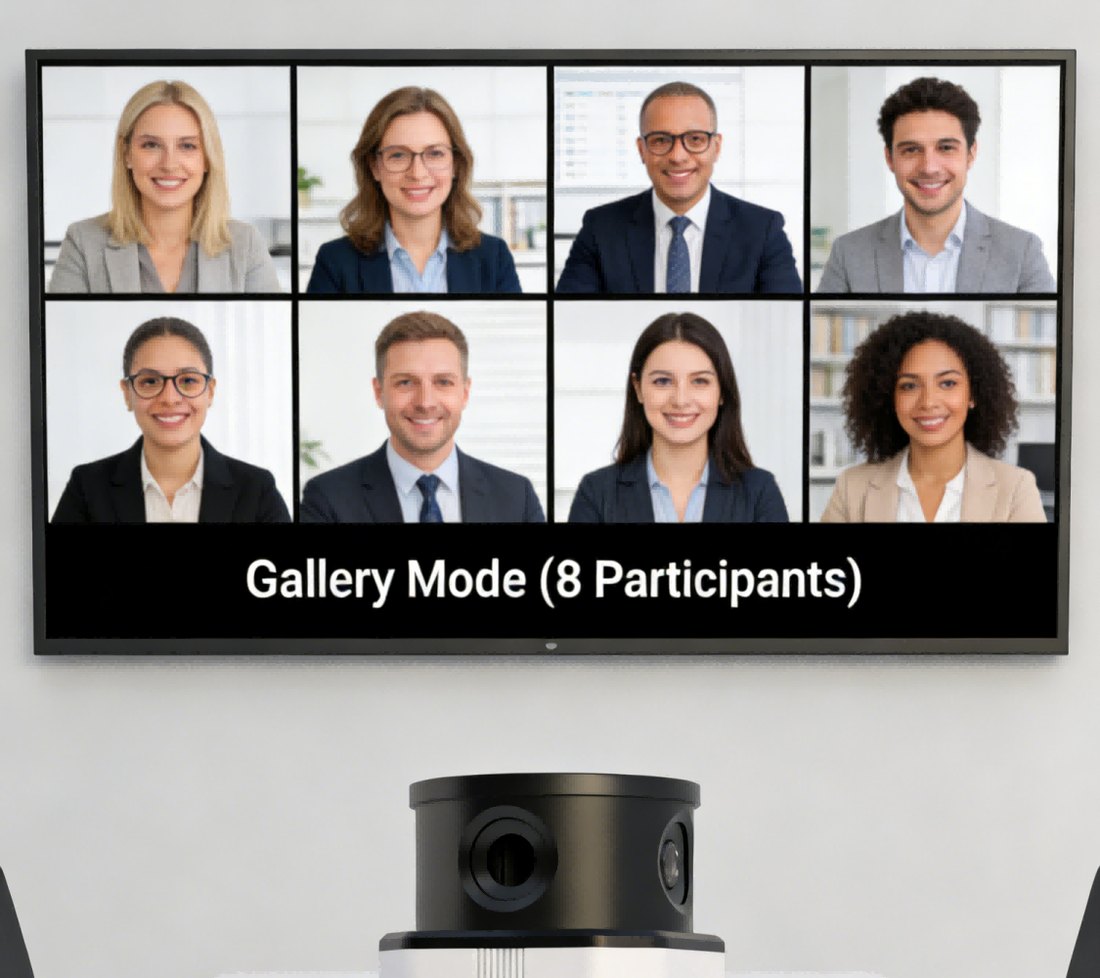
Gallery Mode — 8 participants
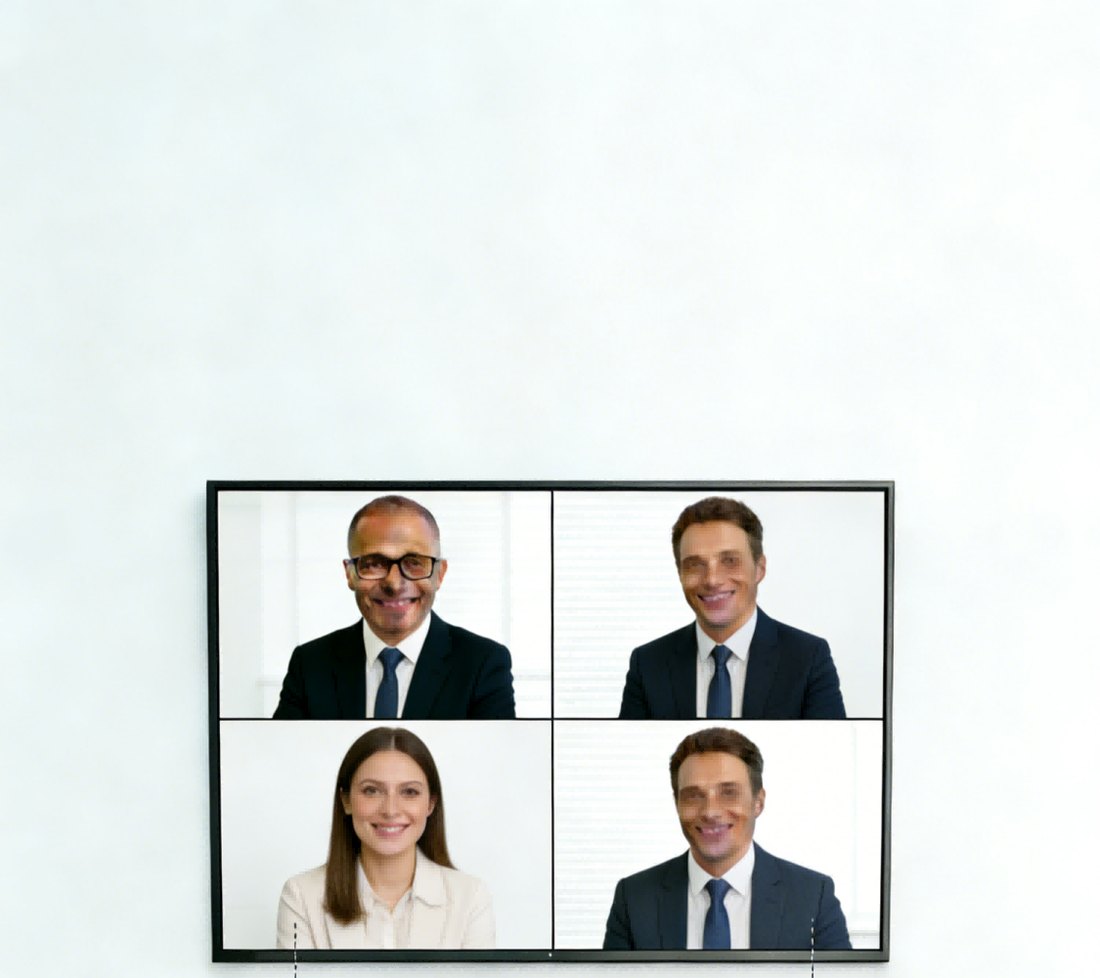
Gallery View — participant close-ups
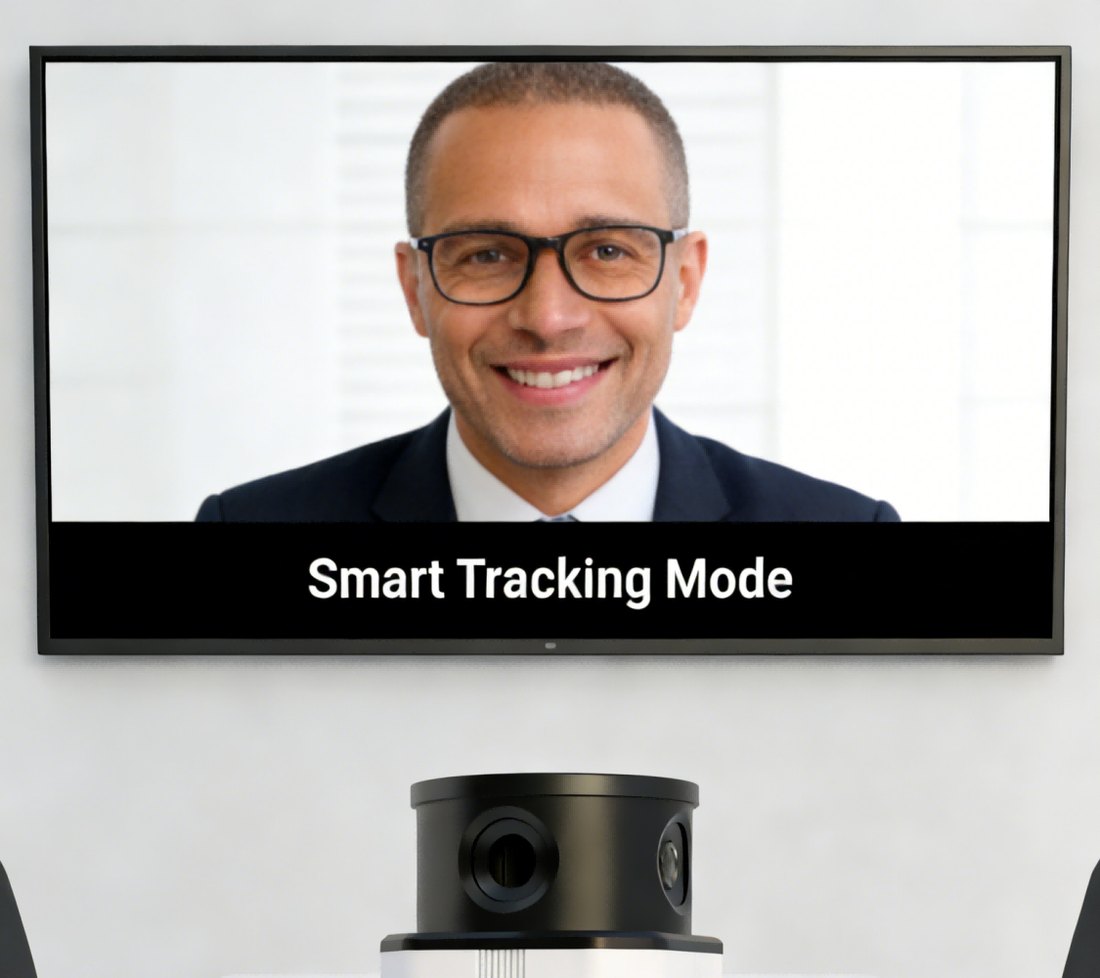
Speaker View — active speaker
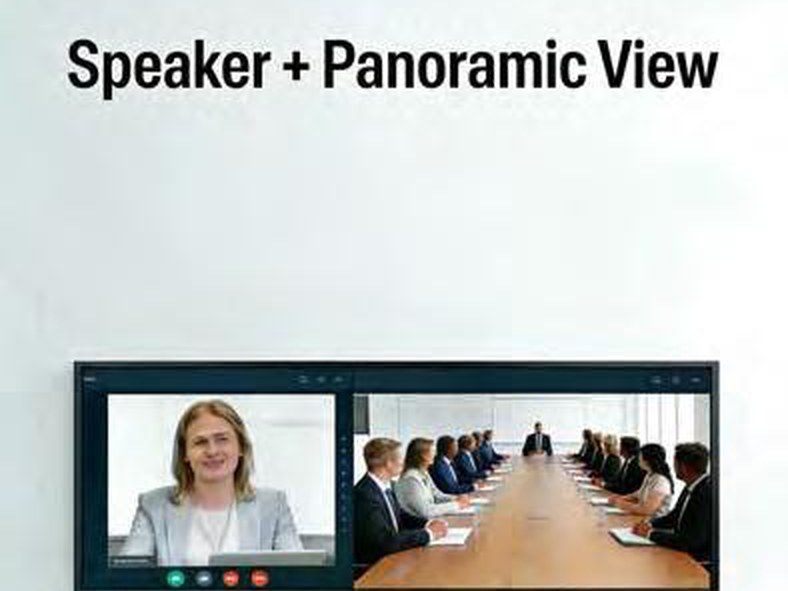
Speaker + Panoramic View
An AI auto-framing algorithm combined with face recognition automatically adjusts the framing as participants change seats, keeping the composition balanced without manual operation. Speaker tracking uses intelligent audio analysis and sound-source localisation together with EPTZ to follow the active speaker and switch the picture in real time. Smart gallery view extracts and arranges close-ups of all participants so that everyone is equally visible in remote collaboration.
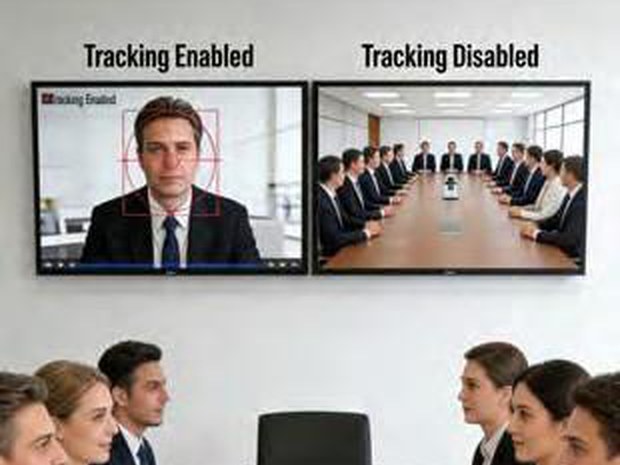
Speaker tracking — ON / OFF
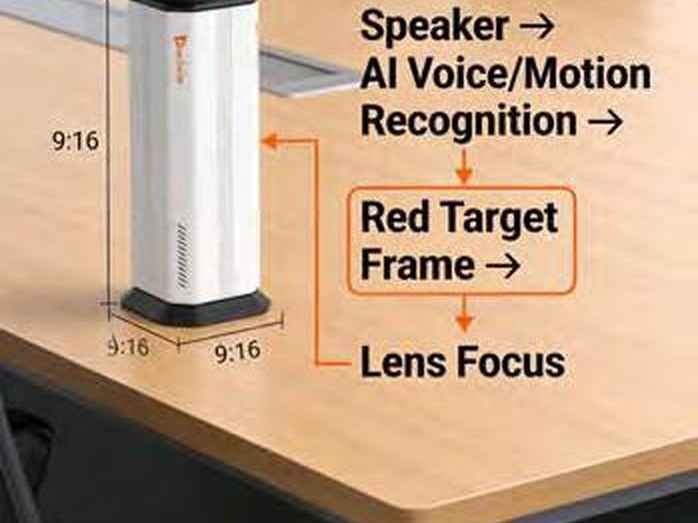
Sound-source localisation locks onto the speaker
Each of the four panoramic lenses supports independent masking — 1 to 3 rectangular zones per lens. Once a zone is set, that area is excluded from the live image: doors, corridors and irrelevant furniture are hidden, and only the effective area with attendees is retained. This keeps confidential or distracting surroundings out of recordings and live streams without moving the camera.
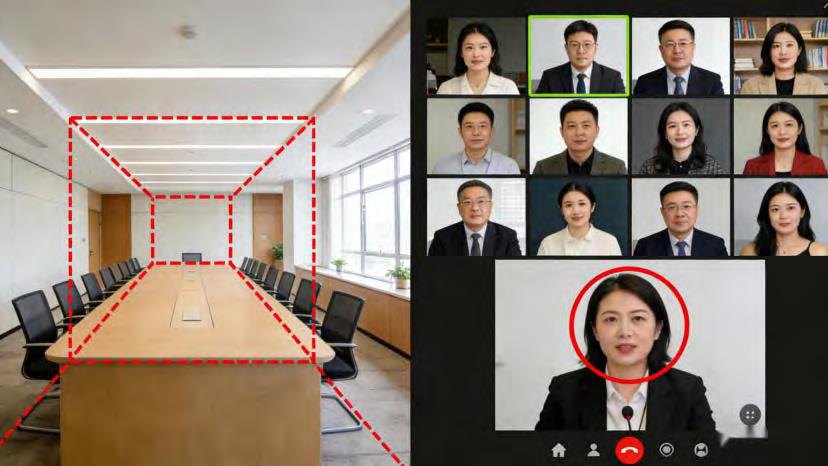
Lens masking — only the effective area is kept

Smart gallery view — every participant close up
A built-in beamforming (BF) microphone array with a pickup distance of up to 6 metres uses a low-distortion lateral beamforming algorithm to aim at the speaker, delivering clear and natural voice pickup. Extended microphones can be daisy-chained to cover larger rooms. 3A audio algorithms (AEC / AGC / ANS) with full-duplex conversation technology keep calls smooth for both seated and standing participants, while the professionally tuned full-range speaker (96 dB SPL at 0.5 m, 4 W) reduces audio interference and reproduces speech faithfully.
The AI-Core360 Pro works as a standard USB video device with Zoom, Microsoft Teams and Google Meet, so no dedicated driver is required on the host PC.
Camera, beamforming microphone and full-range speaker are integrated into one unit, which simplifies cabling and makes deployment quick even in compact meeting rooms. An integrated electric auto-lifting privacy shield covers the lens to protect confidential meetings, and a Kensington lock slot provides physical security. Interfaces cover USB, HDMI and IP in a single device:
A built-in web application lets administrators open the camera in a browser for image preview and settings — image mode, image style, brightness, contrast, sharpness, gamma, 2D/3D noise reduction, exposure parameters and white balance. Network output uses RTSP with selectable resolution (4K@30 / 1080P@30 / 720P@30 / 540P@30) and a configurable I-frame interval.
Installation notes: the unit ships with a lens cover protecting the four lenses and the microphone array, and supports desktop (tabletop) placement. Net weight is 1.5 kg. Operating temperature 0–40 °C, storage temperature −40–60 °C.
AI-Core360 Pro is designed around three core enterprise scenarios. Each one uses a different combination of image modes, tracking and masking:
Function combination: enable Gallery Mode (8 participants) + speaker tracking, and set masking zones for the lenses facing corridors and doors. All participants appear on one screen so remote viewers can identify speakers instantly, while lens masking keeps passers-by out of the live image.
Function combination: use Speaker + Panoramic View. The main screen carries the trainer and the courseware, while the sub-screen shows the panoramic room so online trainees keep a sense of the classroom and can follow audience reactions.
Function combination: enable Gallery + Panoramic View with no masking (for conference rooms without external interference). The live screen is split 3:7 — 30% panoramic view of the room and 70% multi-person gallery, with each attendee in a separate window.
| Category | Specification |
|---|---|
| Model | AI Core360 Pro |
| Product type | 360° panoramic Ultra HD all-in-one USB conference camera |
| Camera | 4 × ultra-wide-angle cameras, 8.29 MP each, stitched into a 360° panoramic view |
| Sensor | 1/2.8-inch CMOS, effective pixels: 8.29 million |
| Optical lens | 135° (HFOV) |
| Video resolution | 4K (3840×2160)@30fps; 1080P@30fps; 720P@30fps |
| Image modes | Gallery Mode (8 participants); Gallery View; Speaker View; Panoramic (Global) View; Speaker + Panoramic View; Gallery + Panoramic View; Single-Lens View |
| AI functions | Auto-framing (face recognition); speaker tracking with EPTZ; smart gallery view; lens masking (1–3 rectangular zones per lens) |
| Image processing | 2D & 3D digital noise reduction; signal-to-noise ratio ≥ 55 dB; backlight compensation supported |
| Microphone | Beamforming (BF) microphone array, pickup distance up to 6 m; extended microphone supported |
| Audio algorithm | 3A (AEC / AGC / ANS) with full-duplex conversation |
| Speaker | Full-range speaker, 96 dB SPL at 0.5 m, 4 W |
| Video output | USB 3.0 Type-C ×1; HDMI ×1 (up to 4K@30, supports DP-to-HDMI and camera video output); RJ45 ×1 (10/100/1000M, PoE) |
| Network protocol | RTSP output with selectable resolution 4K@30 / 1080P@30 / 720P@30 / 540P@30, configurable I-frame interval |
| USB features | USB 3.0 (backward compatible with USB 2.0); UVC 1.1 video; UAC 1.0 audio, 32K sampling rate; MJPEG / YUY2; UVC PTZ control supported |
| Configuration | Built-in web application for image preview and settings (image style, brightness, contrast, sharpness, gamma, 2D/3D NR, exposure, white balance) |
| Privacy & security | Integrated electric auto-lifting privacy shield; Kensington lock slot |
| Power supply | Type-C PD 65 W input; DC 20V / 3.25A |
| Installation | Desktop (tabletop) placement |
| Dimensions / weight | Net weight 1.5 kg (dimensions to be confirmed) |
| Operating temperature | 0 °C to 40 °C; storage −40 °C to 60 °C |
| Standard accessories | USB cable |
360° panoramic Ultra HD + flexible image modes + AI framing
Make every conference’s live visual presentation “customised on demand”. Contact us for a demo unit, volume pricing or an integration review for your meeting rooms.
Sales: richard@szreach.com | WhatsApp / WeChat available on request
 Tel:+86 13265602904