

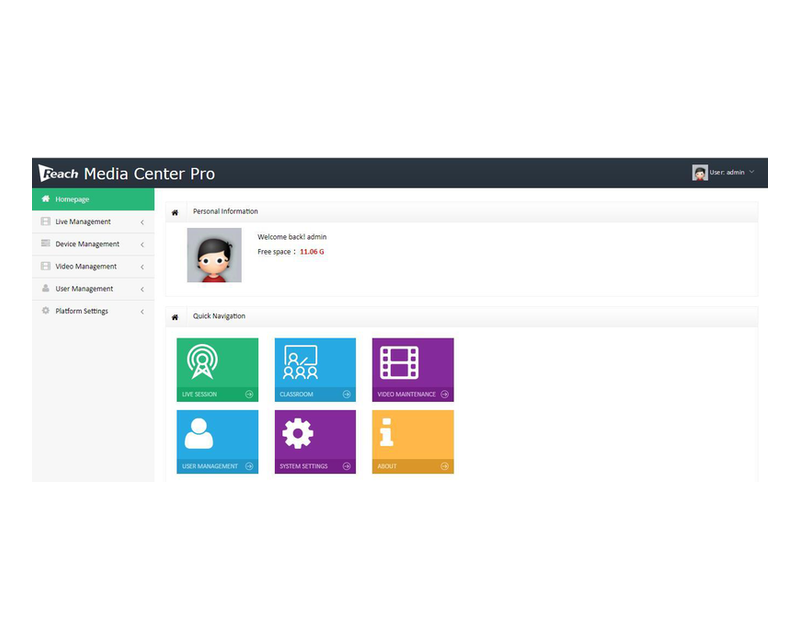
Reach Flow Media Center Pro manages Reach recorders, users and video in one console, with an HTML5 live and VOD portal for up to 500 viewers.

The Reach Flow Media Center Pro is the video platform that sits behind Reach recorders and cameras. It gives one entry point for every device in a site, one library for everything those devices record, and one portal where viewers watch it — live or on demand — from a computer or a phone.
Three licensing tiers cover the same software: MCS30 for 30 concurrent users, MCS100 for 100 and MCS500 for 500. Every module is included in all three; the model sets how many viewers can watch live streams and VOD at the same time.
Because the platform is the management layer rather than a recorder, a site keeps the hardware it already runs. Media Center Pro registers Bee3 Plus, Bee4M, Bee8 Plus, Bee9 Plus, REX CF8/CF16/CF32 and wireless yCat devices, then applies recording schedules, users, permissions and publishing rules across all of them.
Recorders and cameras
Register every Reach recording device, group it by classroom or site, push configuration and firmware, and see whether it is recording, idle or offline.
Users and permissions
Teachers, students, administrators and IT staff each get their own role; access can be granted per user group or per file, and accounts can be synchronised from an LDAP directory.
Library and publishing
Recordings are filed by category and album, released automatically or after review, and published to the portal or to an LMS such as Blackboard.
The administration console opens on six modules: Live Session for streams in progress, Classroom for rooms and their devices, Video Maintenance for the library, User Management, System Settings and the platform information page. Each module keeps its own permissions, so an operator can be given control of one room without seeing the rest of the site.
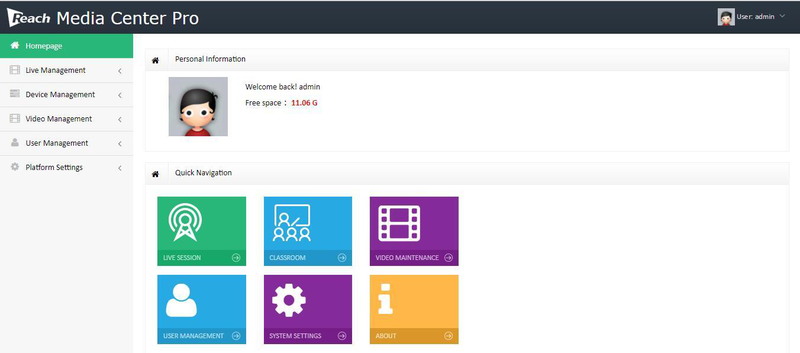
Administration console — live sessions, classrooms, video maintenance, users, system settings.
Viewers do not log into the console. They open the portal, which lists live sessions in progress, highlights new recordings and lets them search the library by category, album or keyword. The portal is HTML5, needs no plug-in, and plays on Windows, macOS, iOS and Android at the same address.
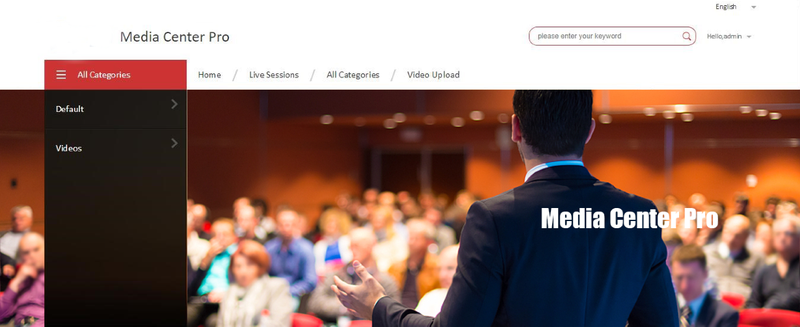
Video portal — live sessions, categories and the video library in one page.
Media Center Pro is installed on a standard x86 server running Linux CentOS 7.3, on the school or company network. Recordings can stay on the server, on a third-party FTP server or on iSCSI network storage, so the library can grow past the internal disks without replacing the platform. A virtual machine is enough for a pilot or a demonstration before the production server arrives.
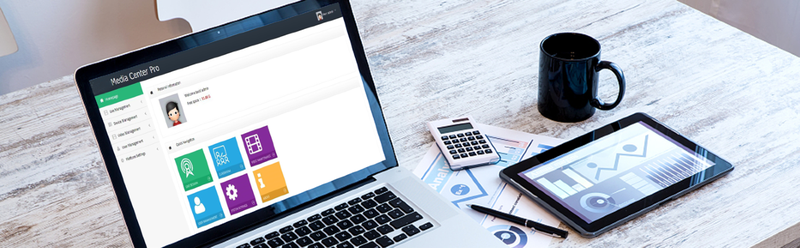
The same portal on a desktop browser and on a tablet — no client software to install.
The three models run the same software and include the same modules. They differ in the number of users that can watch live streams and VOD at the same time — the figure a site should size against its largest simultaneous class or event.
| MCS30 | MCS100 | MCS500 | |
|---|---|---|---|
| Concurrent users (unicast + VOD) | 30 | 100 | 500 |
| Licensed modules | All | All | All |
| Live streaming capacity @ 1 Mbps | 30 viewers | 100 viewers | 500 viewers |
| VOD capacity @ 1 Mbps | 30 viewers | 100 viewers | 500 viewers |
| Server | Customer x86 server | Customer x86 server | Customer x86 server |
Specifications of the Reach Flow Media Center Pro platform, models MCS30, MCS100 and MCS500, from the platform datasheet V2.2 and flyer.
| Category | Parameter | Specification |
|---|---|---|
| System | Operating system | Linux CentOS 7.3 |
| Deployment | Standard x86 server on the customer network; virtual machine supported for pilots | |
| Supported devices | Bee3 Plus, Bee4M, Bee8 Plus, Bee9 Plus, REX CF8/CF16/CF32, wireless yCat | |
| Player | HTML5 — Chrome, Firefox, Edge, Safari; no plug-in | |
| Languages | English, Chinese (simplified and traditional) | |
| Live streaming | Delivery | Web live, received on the server and played in the browser |
| Capacity | Up to 500 concurrent viewers at 1 Mbps on one MCS500 server | |
| Live status | Live sessions and their duration are listed on the portal home page | |
| Video on demand | Library | Recordings filed by category and album, with metadata and search |
| Capacity | Up to 500 concurrent viewers at 1 Mbps on one MCS500 server | |
| Publishing | Automatic release or release after course-manager approval | |
| Upload | Third-party video in MP4, ASF, MOV, AVI, MKV and FLV | |
| Encoding | H.264 High Profile with AAC audio; SD and HD sources | |
| Management | Devices | Registration, grouping by classroom, remote configuration, upgrade and restart |
| Recording | Scheduled, immediate or one-button start; schedule management module | |
| Users | Roles for teachers, students, administrators and IT; LDAP synchronisation (two-level) | |
| Permissions | Per user group and per file | |
| Portal | Category and album navigation, highlights, search; CMS-editable home page | |
| Integration | LDAP and LMS such as Blackboard | |
| Storage & maintenance | Storage | Internal disks, third-party FTP server, iSCSI network storage |
| Maintenance | Remote upgrade, system log, server management module | |
| Models | MCS30 | Platform licence, 30 concurrent users (unicast + VOD) |
| MCS100 | Platform licence, 100 concurrent users (unicast + VOD) | |
| MCS500 | Platform licence, 500 concurrent users (unicast + VOD) | |
| Included modules | System, server, user, schedule, file management, video portal, unicast and VOD |
 Tel:+86 13265602904