

Reach Edge Node ENC1200PE is a dedicated hardware HD encoder for Reach Edge distributed recording: one HDMI input up to 4K with HDMI loop-out, H.264 CBR encoding from 512 kbps to 8192 kbps, RTSP and Reach EncoderManager streaming, plus RS232 camera control and a 2-inch information display.

Reach Edge Node ENC1200PE is a dedicated hardware encoder that turns an HDMI source into an IP stream — the capture node of a Reach Edge distributed recording system. Camera video, PC / presentation content and microphone audio are encoded at the room edge and delivered over the standard IP network to a Reach Edge recording server, so a single server can record many rooms without a recorder in each one.
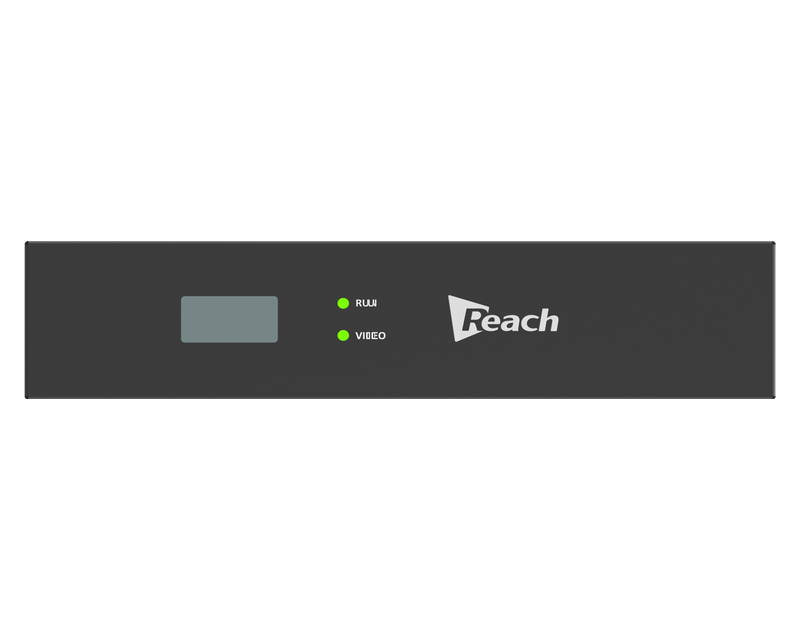
The chassis is compact: two ENC1200PE units can be mounted side by side in a standard rack. A 2-inch display on the front shows the device IP address and version, and two indicators report signal presence and system status at a glance.
On the network side the encoder speaks standard RTSP as well as the Reach private EncoderManager protocol, so it works with Reach Edge recording servers, the video management platform and the supervision platform — and can feed no fewer than two meeting rooms at the same time.
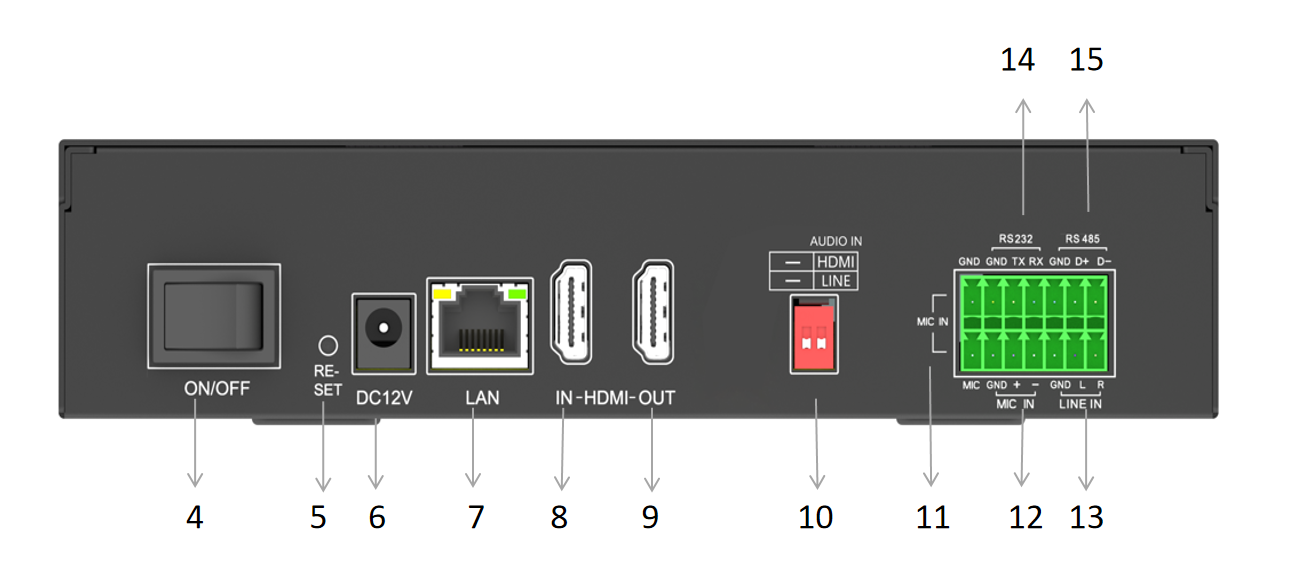
Front panel: 2-inch information display, VIDEO and RUN indicators, and the power switch. Rear panel: power, network, HDMI in / out, audio and camera-control connections.
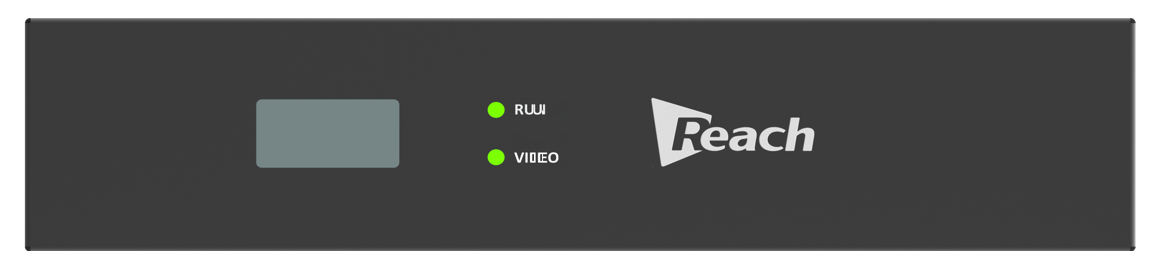
Front panel — 2-inch information display, VIDEO and RUN indicators.
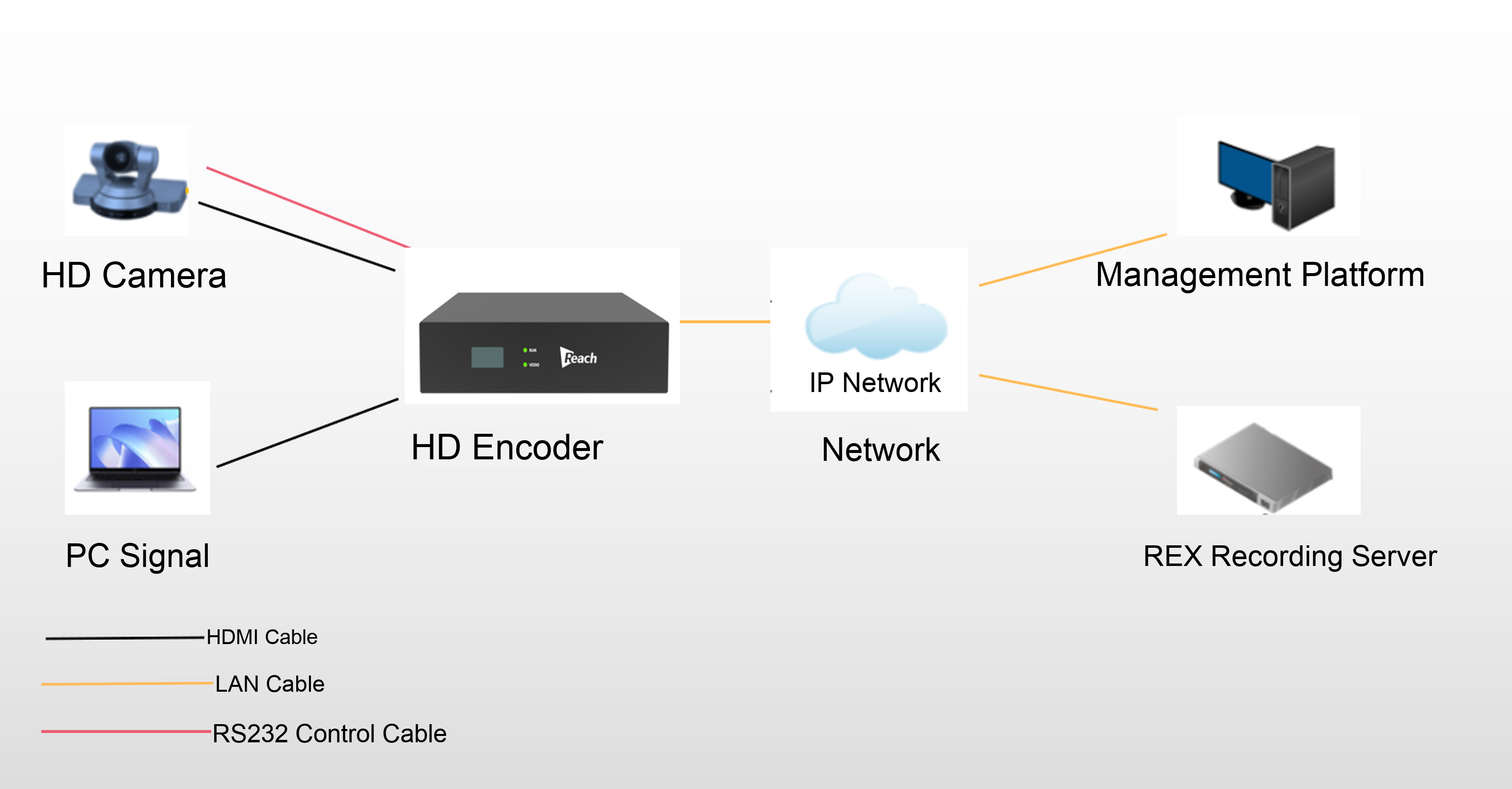
An HD camera and a PC / presentation source feed the encoder over HDMI. The encoder delivers the encoded stream to the IP network over its LAN port and reaches the Reach Edge recording server and the management platform; viewers watch live or on demand from the recording server. The camera is controlled from the encoder over the RS232 control cable.
System connection — HDMI sources in, IP stream out to the Reach Edge recording server and management platform, RS232 camera control.
Numbers 1–3 are on the front panel, 4–15 on the rear panel. The numbers below match the labels on the unit.
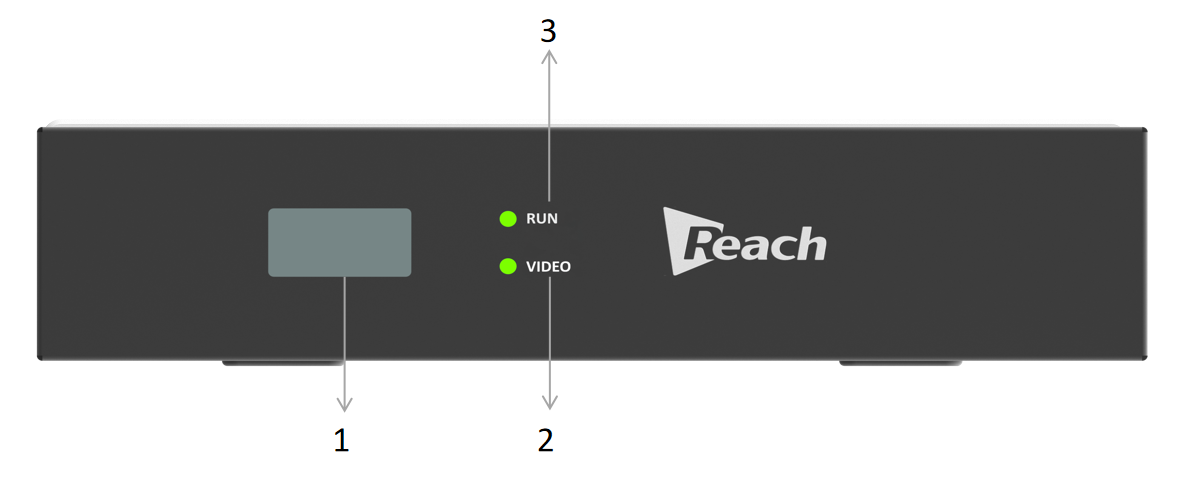
Front panel — 1 information display, 2 VIDEO indicator, 3 RUN indicator.
Rear panel — power, network, HDMI in / out, audio and camera control.
| Port | Description |
|---|---|
| 1 · LCD | 2-inch information display — shows device information such as IP address and version. |
| 2 · VIDEO | Signal-source indicator — shows whether a video signal is present. |
| 3 · RUN | System running indicator — shows the operating state of the device. |
| 4 · Power switch | Switches the device on and off. |
| 5 · Reset button | Restores the system when a serious fault occurs. |
| 6 · Power input | Connects the DC 12 V power supply. |
| 7 · LAN | Network interface — connects the encoder to the local area network. |
| 8 · HDMI IN | HDMI signal input — accepts the HDMI source. |
| 9 · HDMI OUT | HDMI loop-through — outputs the incoming HDMI picture. |
| 10 · DIP switch | Switches the AUDIO IN source. |
| 11 · MIC IN | Audio input — reserved interface. |
| 12 · MIC IN | Audio input — reserved interface. |
| 13 · LINE IN | Audio input — accepts a stereo signal. |
| 14 · RS232 | Camera control interface based on the RS232 standard. |
| 15 · RS485 | Camera control interface — reserved interface. |
| Indicator | State | Meaning |
|---|---|---|
| VIDEO | Off | No video signal input. |
| VIDEO | Blinking | Video signal is present. |
| RUN | Off / solid | Device is not powered on, or a fault has occurred. |
| RUN | Blinking | Device is operating normally. |
Specifications below are for the Reach Edge Node ENC1200PE HD encoder.
| Category | Parameter | Specification |
|---|---|---|
| Video | Video input | 1 × HDMI |
| Video output | 1 × HDMI loop-through | |
| Signal format | I / P | |
| HDMI input resolutions | 3840 × 2160, 1920 × 1080, 1440 × 900, 1360 × 768, 1280 × 720 | |
| Encoding resolutions | 1920 × 1080, 1280 × 720, 704 × 576, 352 × 288 | |
| Video encoding | H.264 | |
| Video bit rate | 512 kbps – 8192 kbps, adjustable | |
| Frame rate | 30 / 25 fps | |
| Rate control | CBR | |
| Audio | Audio input | 1 × HDMI embedded audio, 1 × Line-In |
| Audio output | 1 × HDMI audio loop-through | |
| Audio encoding | AAC | |
| Audio sampling rate | 48 kHz | |
| Streaming & control | Stream protocols | RTSP, Reach private protocol (EncoderManager) |
| Simultaneous rooms | Serves no fewer than two meeting rooms at the same time | |
| Camera control | RS232 (RS485 reserved) | |
| Interfaces & general | Network port | 1 × RJ45 |
| Display | 2-inch information display (IP address, version) | |
| Power adapter | 12 V 2 A (DC 12 V input) | |
| Operating temperature | −20 °C to +60 °C | |
| Dimensions (D × W × H) | 210 × 198 × 45.5 mm | |
| Weight | 1200 g | |
| Installation | Compact chassis — two units side by side in a standard rack |
Capture every room, record on one server
Tell us how many rooms and sources you need to capture — we will size the encoder count, match the right Reach Edge recording server and quote the complete system.
Sales: richard@szreach.com | WhatsApp / WeChat available on request
body,body *:not(i):not(button):not(input):not(textarea):not(select):not([class*=\"icon\"]):not([class*=\"ico-\"]):not([class*=\"iof\"]){font-family:Cochin,\"Hoefler Text\",Georgia,\"Times New Roman\",\"Songti SC...
+
body,body *:not(i):not(button):not(input):not(textarea):not(select):not([class*=\"icon\"]):not([class*=\"ico-\"]):not([class*=\"iof\"]){font-family:Cochin,\"Hoefler Text\",Georgia,\"Times New Roman\",\"Songti SC...
+
body,body *:not(i):not(button):not(input):not(textarea):not(select):not([class*=\"icon\"]):not([class*=\"ico-\"]):not([class*=\"iof\"]){font-family:Cochin,\"Hoefler Text\",Georgia,\"Times New Roman\",\"Songti SC...
+ Tel:whatsapp :+86 18589023158